





Tips Index
Sometimes when you think of streaming online you just need some good movie streaming sites and a very reliable and good Internet connection and the first thing that comes into your mind is Putlocker.
It was one of the most categorized web movie portals where you can view movies and more for free. Sadly, way back in 2016, the Putlocker site was shut down because a high court blocked the website in the UK.
But, prior to Putlocker shut down, Putlocker was in the top ranking 250 of the most visited websites. Ever since the Putlocker website was closed, numbers of Putlocker users are eager to look for Putlocker alternatives to watch movies for free.
If you are looking for a great alternative to Putlocker where you can watch movies for free, offline and anytime you want too, then you are in the right place, in this article, we are going give you a guide to use VideoPower RED, an app capable of downloading videos from sites like “Putlocker”. Movies are a wonderful option to spend your free time with friends and family or even with yourself.
Just click the link below to download this free app and follow through the steps on how to download videos from Putlocker website alternatives.
Method 1: Copy and Paste
Step 1: Paste URL to download video
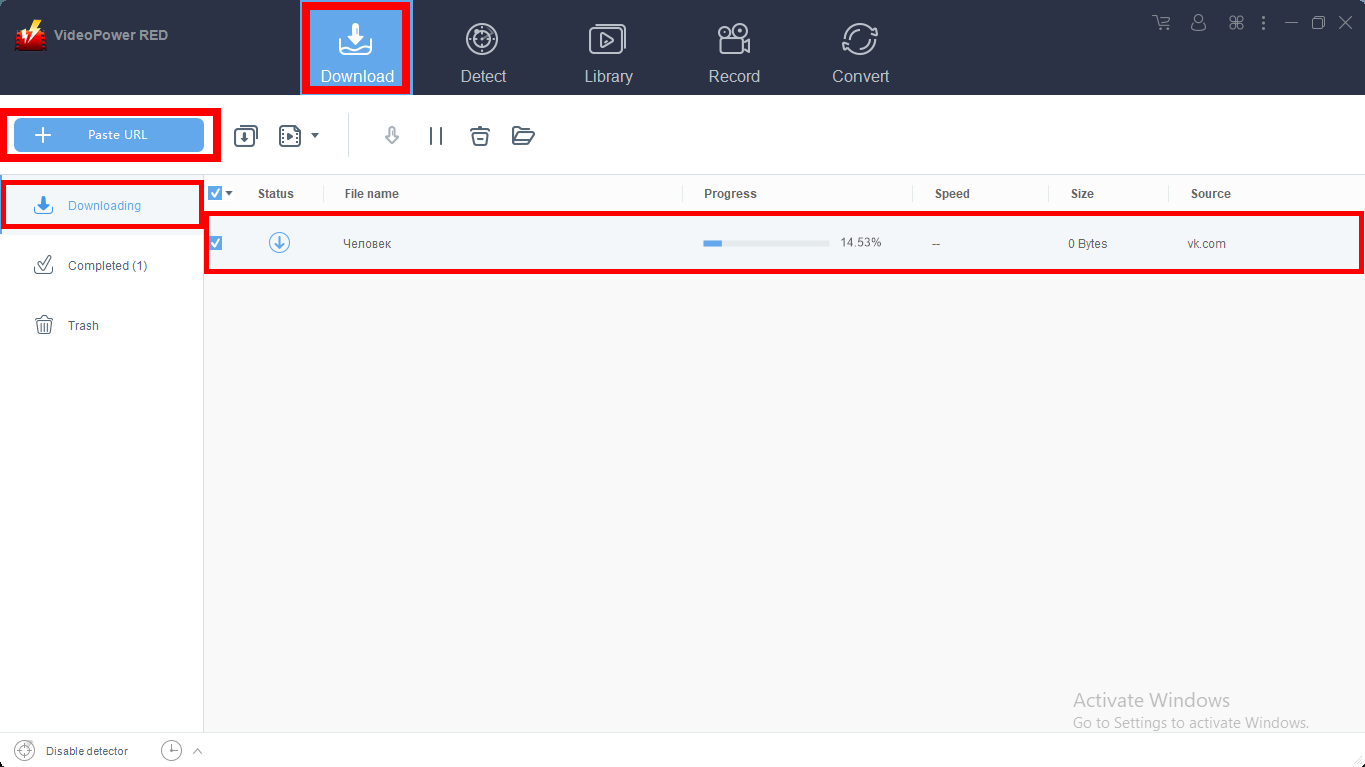
When you launch the software, the first thing you see in the interface is the “Download” section.
Copy the link of the movie from any Putlocker alternative website that you want to download and then paste it into the program by clicking the “Paste URL” button. After that, you will see that the video is downloading.
Step 2: Check the downloaded file
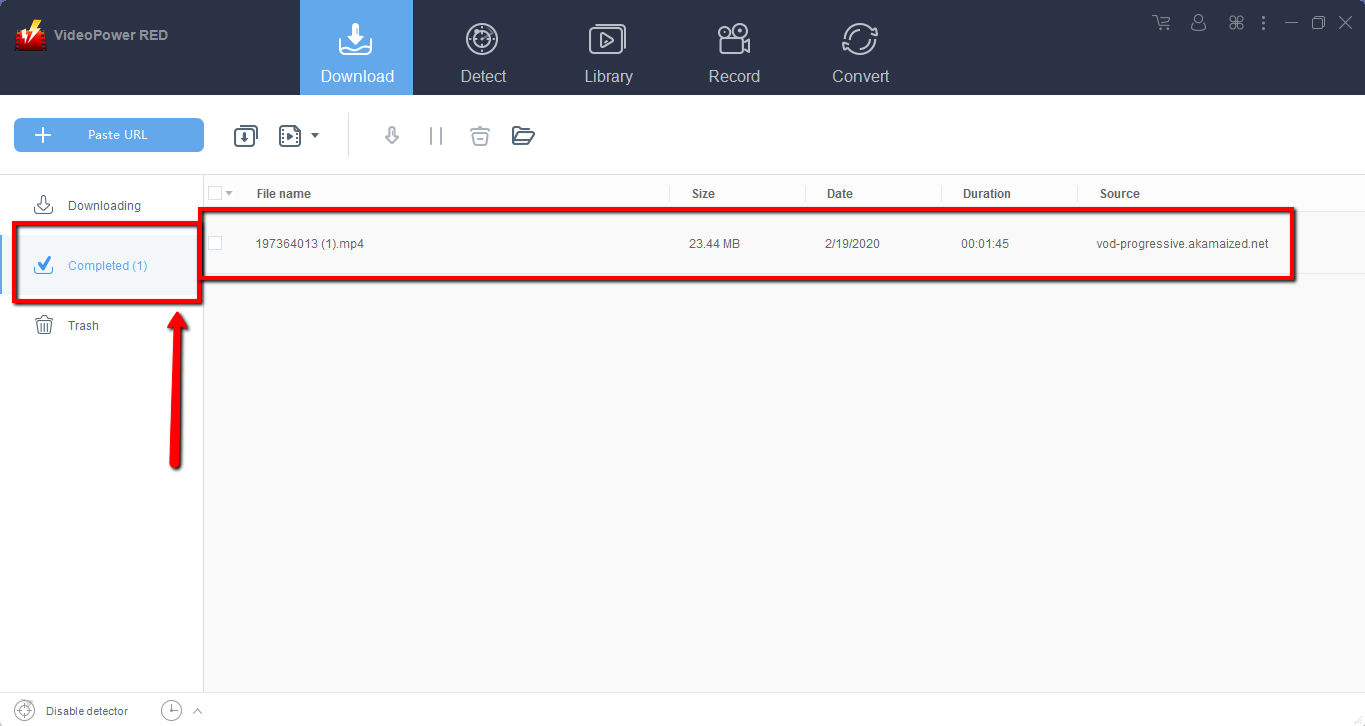
Wait for the download to finish, and then go to the “Completed” section to find the downloaded video. If you wish to do more, right-click to choose from the menu.

Method 2: Use the Embedded Browser
Open the video page via an embedded browser on “Detect”. Click “Enable Detector” at the very bottom left of the interface, play the video you want to download and the program will automatically download the videos for you.
A pop-up prompt will show to let you know that all is well, the program detected and is downloading your video.

Wait for the download to finish, and then go to the “Completed” section to find the downloaded video.
Method 3: Record video
Sometimes because of the web update or slow internet connection, the program can’t download the video anymore but you can still save the video by using the recording function.
Step 1: Record video
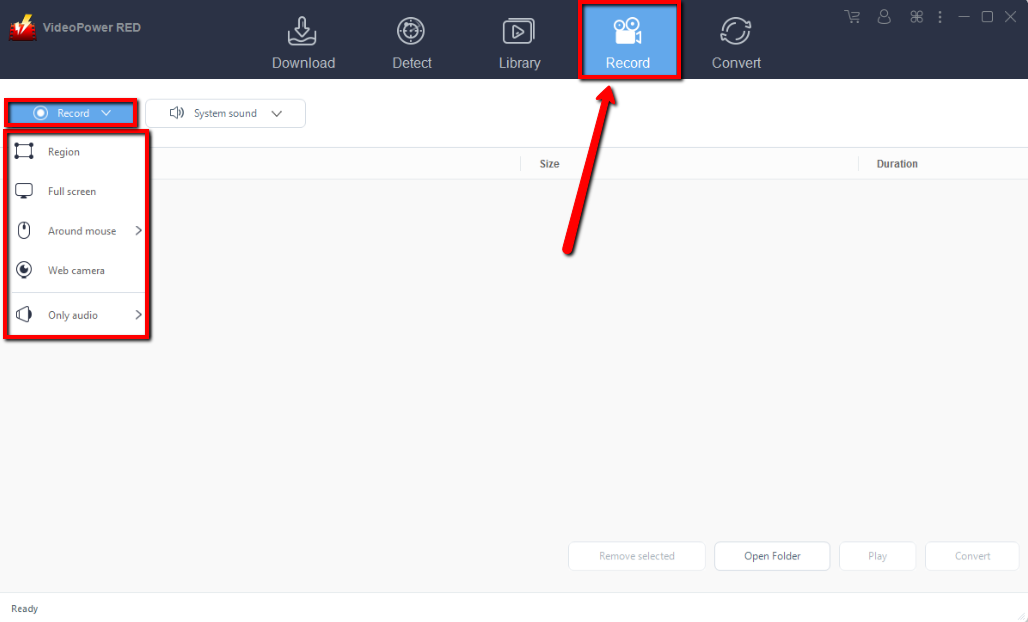
Click the “Record” tab to record the video and Select from “Region, Fullscreen, around mouse or Web camera” as preferred.
Step 2: Check the recorded video.
After recording, the recorded file can be seen in the record interface.

Conclusion:
Putlocker lets you watch all your favorite movies for free and is one of the oldest streaming movie portals on the internet. When Putlocker was launched earlier in 2011, it built a great reputation from users on a daily basis. The sad part is that Putlocker has been surrounded by issues regarding copyright which led the site to change its domain address continually.
Because there have been issues, it’s advisable to download videos and keep a copy. Introducing VideoPower RED, the best bet for a Putlocker alternative downloader. It has a fast and reliable downloading performance with great and satisfying results. It can also convert videos and audios into a wide range of formats. It has a built-in browser you can use to watch while downloading your favorite movies. Download now.


