





Tips Index
If you want to watch what looks like a nice Peppa Pig video but has a twisting kind of event. The title of the video seems good and you directly identified the familiar characters. But several minutes later the story goes horribly wrong. The characters start cussing, bleeding violently, or engaging in other inappropriate acts.
So what is up with these extraordinary videos that look like they’re for nursery film viewing but definitely, like definitely not for kids? These weird videos using familiar cartoon characters are a thing on YouTube. They are part of the category of a video called YouTube Poop.
YouTube Poop is a random video of familiar characters and fiction that goes off the rail. The creator creates them by using video-editing software that lets them interweave in clips from reality shows.
Though this, videos mislead and frighten people, actually that is never the intention of the creator. They are more likely to try impressing other fans of YouTube Poop, yes, they actually exist and aggravate YouTube by revealing flaws in the way the company serves up video content.
When the time you clicked on the video, it will send some data to YouTube that you like the video and the system will automatically recommend you see more in the same mood. YouTube’s algorithm became very aware when there was a public clamor over these disturbing weird videos displaying up in the YouTube Kids app.
The feedback, google then constricts the restrictions on the videos it channels to the YouTube Kids app. The videos could come into sight on the main YouTube site because google wants YouTube to continue a platform where users can show their creativity, and even though these videos are weird, they don’t always break YouTube’s terms of service.
If you want to watch these strange videos on YouTube without banking on the internet connection, you can download them using this free video downloader called VideoPower RED and watch them anytime and anywhere.
Just click the link below to download this app and follow through the guide on how to download the weirdest videos on YouTube.
Method 1: Copy and Paste
Step 1: Copy and Paste URL and download video.
Copy the link of the YouTube channel that you want to download and then paste it into the program by clicking the “Paste URL” button. After that, you will see the video is downloading in the download control panel. Wait for it to finish.

Step 2: Check the downloaded file
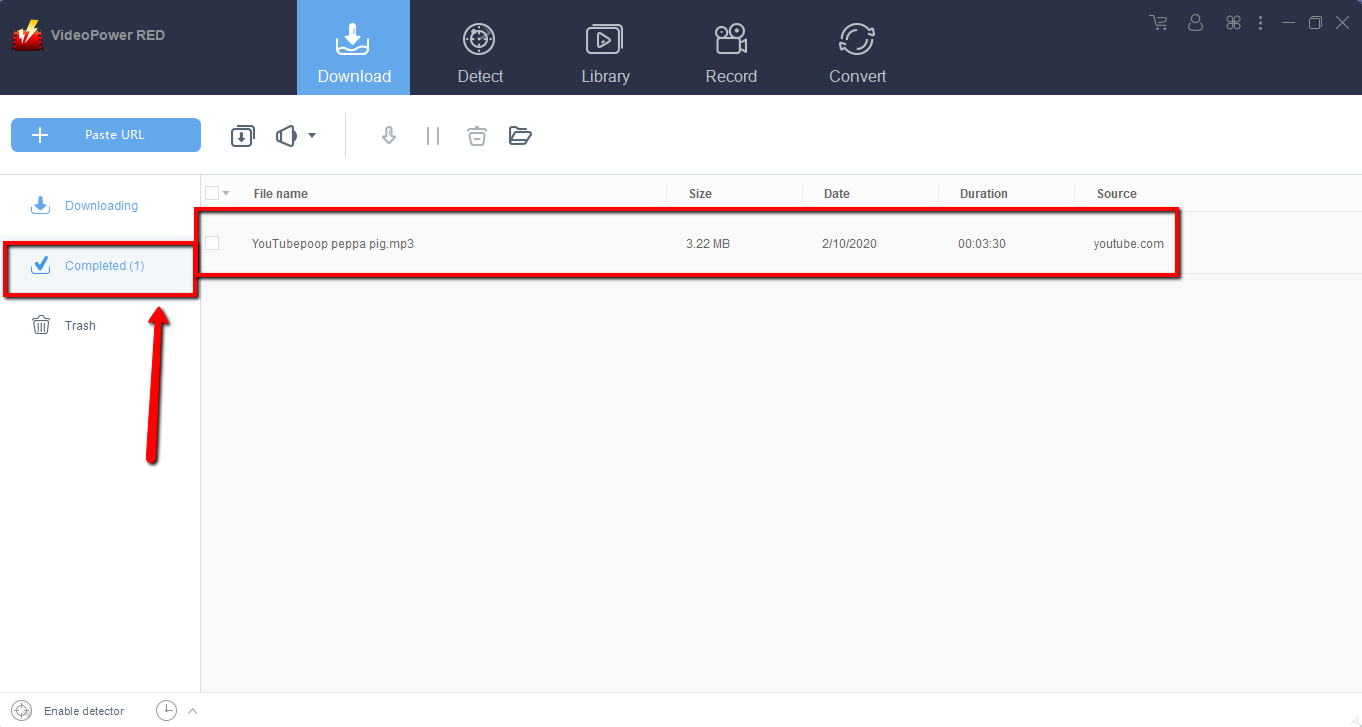
When the download is finished, navigate to the “Completed” section to find the downloaded video. You can right-click to do more operations and double-click to preview.

Method 2: Use the Embedded Browser
Step 1: Open the video page via an embedded browser
If the program supports the site, the video from YouTube will be downloaded by clicking the “download” button below.

Step 2: Download Complete
Wait for the download to finish, and then go to the “Completed” section to find the downloaded video. You can right-click to do more operations and double-click to preview.
Method 3: Record video.
Sometimes because of the web update or slow internet connection, the program can’t download the video anymore but you can still save the video by using the recording function.
Step 1: Set Recording Modes
Click the “Record” tab to open the recording window and select among the following modes; “Region, Fullscreen, around mouse or Web camera”. Click the preferred one base on your recording needs.

Step 2: Check the recorded video.
After recording, the recorded file can be seen in the record interface. Right-click to do more operations and double-click to preview.

Conclusion:
The world is full of amazing videos and that includes the weird video contents uploaded on YouTube. VideoPower RED is an amazing video downloader that can download thousands of videos in different sharing sites like Facebook, Twitter, Instagram and many more. It can also download videos of many kinds such as the weirdest videos on YouTube that you can send to your friends for fun. Download now VideoPower RED to experience its full features.


