





Tips Index
As the days go by, YouTube is becoming more and more popular, it is not new that many music videos are officially uploaded on YouTube. For example, famous artists such as Ed Sheeran, Bruno Mars, Taylor Swift, and etc. In short, YouTube is one of the platforms for searching the latest music, not to mention you can easily create a YouTube playlist without a sweat.
If you are enjoying and kind of like addicted to listening to your favorite songs from the YouTube playlist, then without a doubt, you will want to download the playlist as well. If you want to listen to all of your favorite songs while traveling, or doing house chores, or when you’re in offline mode, then the best bet is to download the YouTube playlist you keep listening to using a YouTube playlist downloader free.
Although there is a huge and plenty of really cool collection of tools, YouTube tricks, hacks, and software that are free for the YouTube users that offers trustworthy services that will take your video streaming experience to the extreme, selecting one particular best tool that is rapid in downloading and free of cost is so very important and one thing you won’t find in any other YouTube downloader app is a playlist download button.
Perhaps, you might have made a playlist of YouTube videos and now you want to download all of them to your computer as an audio file like MP3? Or you might have found a collection of public domain videos, a YouTube playlist downloader is the best option in saving all of them at once.
This playlist downloader from VideoPower RED runs from your desktop that works on Windows, so it needs to be downloaded and installed first to your computer before you can use it. One astonishing experience you will enjoy from VideoPower Red is the “Detect” feature.
Using this optional feature lets you download videos automatically from any playlist by opening the URL copied and pasting it to its built-in Browsers.
You can then select to save the YouTube videos in a video format (MP4, AVI, FLV, 3GP, MOV or WEBM) or an audio format (MP3 or AAC) with options of clarity, you can choose what type of resolution you want (Full HD quality, 4K quality, 3D quality, HD quality or Standard quality).
You can try to use the software for free by downloading its trial version below. Follow through the guide on the easiest way to convert YouTube playlist.
Method 1: Copy and Paste
Step 1: Paste URL and download video
1.1 Video to Audio
Click first the “Video” icon to “Audio” to download the YouTube playlist in an audio format.

1.2 Paste the Link
Copy the link of the YouTube playlist that you want to download and then paste it into the program by clicking the “Paste URL” button. After that, you will see the video is downloading in the download control panel.
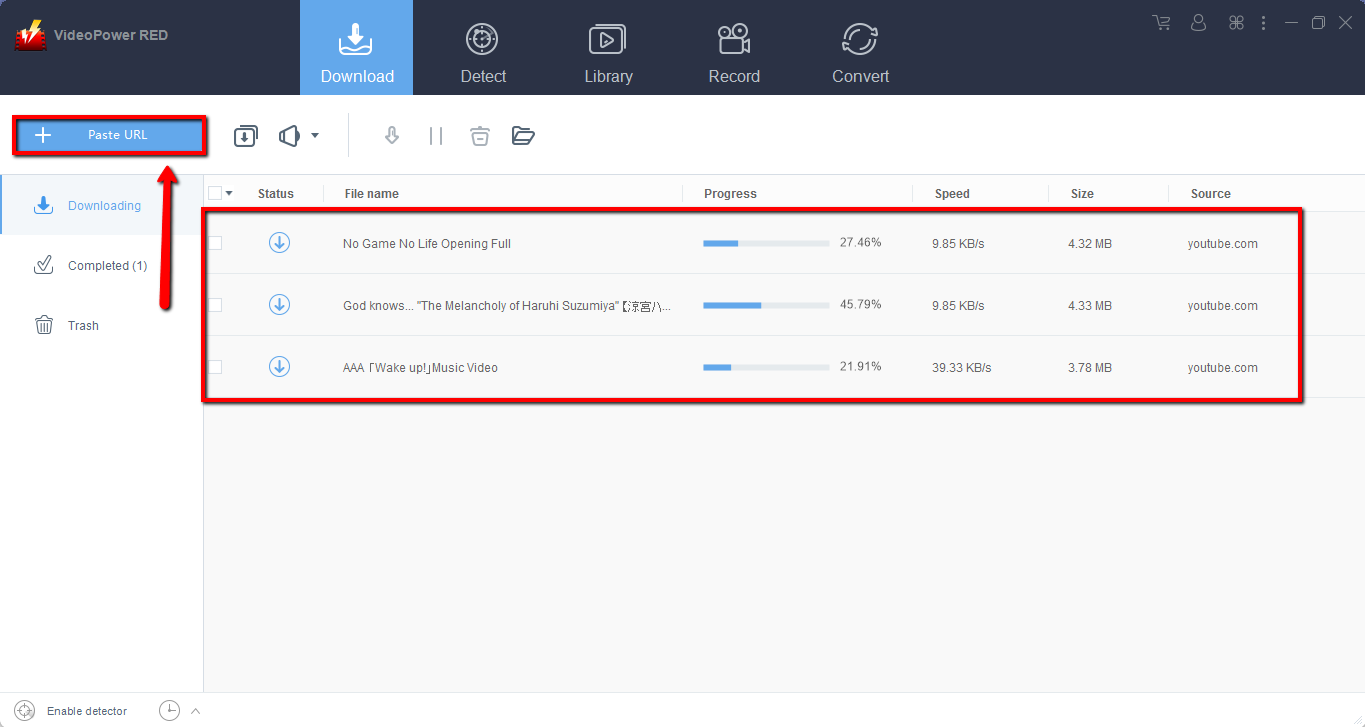
Step 2: Check the downloaded file
Wait for the download to finish, and then go to the “Completed” section to find the downloaded video.
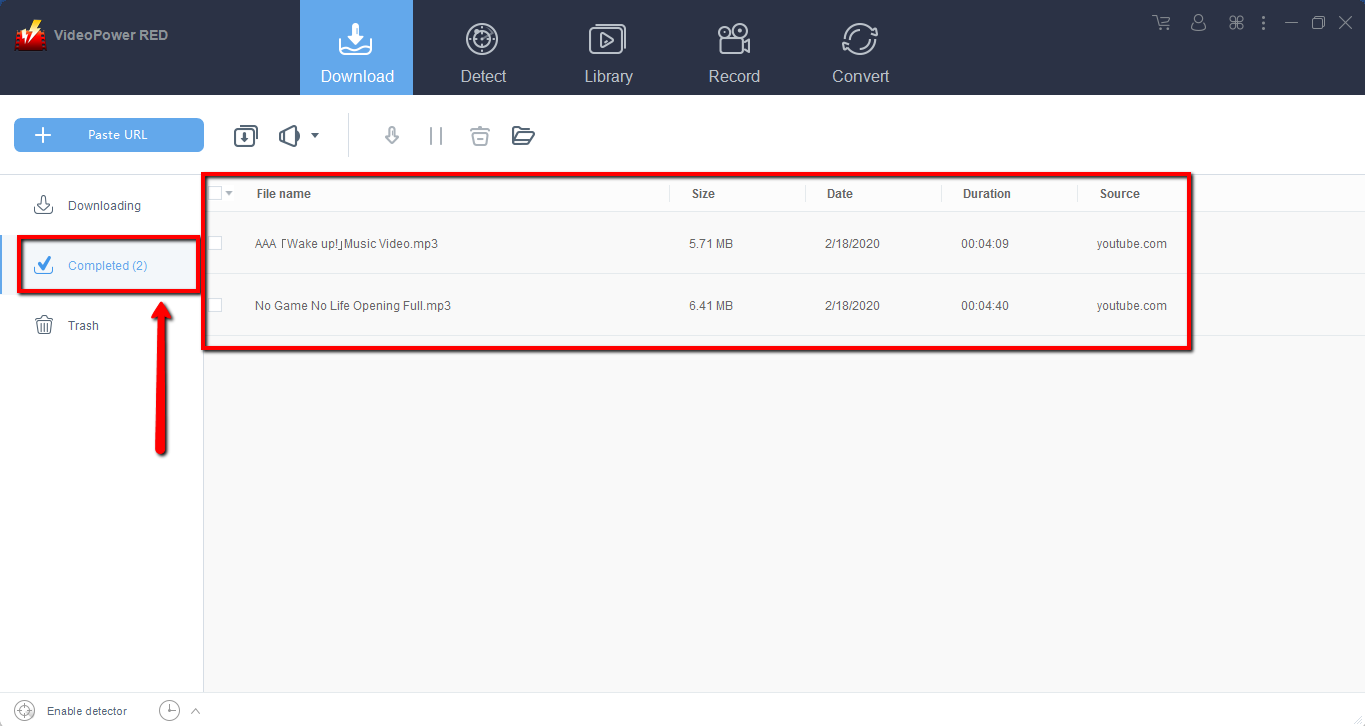
Method 2: Use the Embedded Browser
Open the video page via an embedded browser.
If the program supports the site, the video will be downloaded by clicking the download button below.

Wait for the download to finish, and then go to the “Completed” section to find the downloaded video.
Conclusion:
VideoPower RED is a multi-purpose reliable and powerful software that can download and convert hundreds of thousands of song-playlist from YouTube playlist in just one click. This is the main advantage of VideoPower RED over other similar YouTube downloaders. In addition to downloading playlist, VideoPower RED can be used as a regular YouTube video downloader.


