





Tips Index
Internet Download Manager or most commonly known as IDM is one of the popular software used by most of the users to download videos. It is also packed with lots of features to download all your videos from the internet rapidly and carefully.
One of the main reasons that IDM is popular among users in terms of downloading videos is because of its feature to boost the download speed by up to 5 times compared to other downloaders. IDM also allows users to resume the download if the computer gets shut down unexpectedly or accidentally. However, like other common downloaders, IDM also has its own flaws and it is only available for Windows.
To perform more modification and development for downloading or downloaded files, a third-party tool that is best suited as IDM Alternative and caters more of the users’ desire in downloading would be recommended. VideoPower RED is surely the best Alternative for IDM as it has an amazing, hassle-free downloader application software with various useful professional features.
Try to use the product for free. Just click the link below to download and install the app.
Method 1: Copy and Paste
Step 1: Copy and paste URL then download the video.
Copy the URL of the selected video file that you want to download and then paste it on the product by clicking the “Paste URL” button. After this, the video will be processed in the “Downloading” control panel.

Step 2: Check the Downloaded File.
After the downloading process is complete, go to the “Downloaded” control panel to see and check the downloaded video. Right-click to do more operations and double-click to preview.

Method 2: Auto-Detect (Embedded Detector)
Download the desired video file using Auto-Detect on the “Detect” control panel. The software can detect the video being played on it and it will be downloaded automatically when using any sites except for YouTube videos wherein YouTube, there’s the need to click first the download button before it will be downloaded.
Step 1: Open and download the video file through an embedded detector.
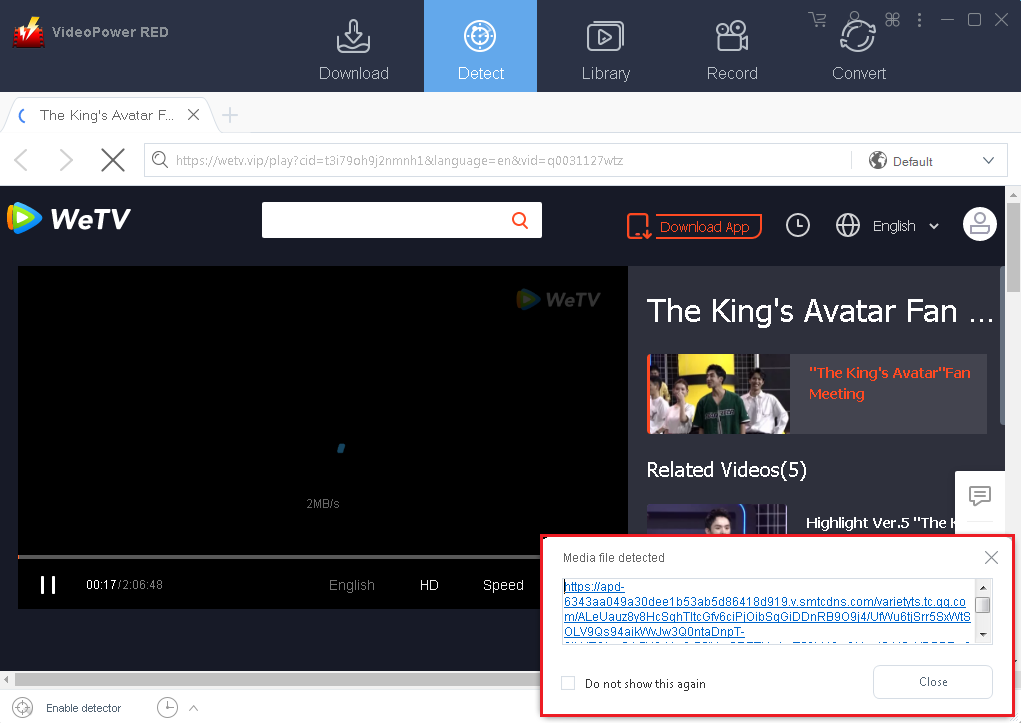
Select a site and choose the desired video file. After selecting, a “Media File Detected” notice will appear to notify that the chosen file has been detected and will be downloaded automatically.
Step 2: Check downloaded File
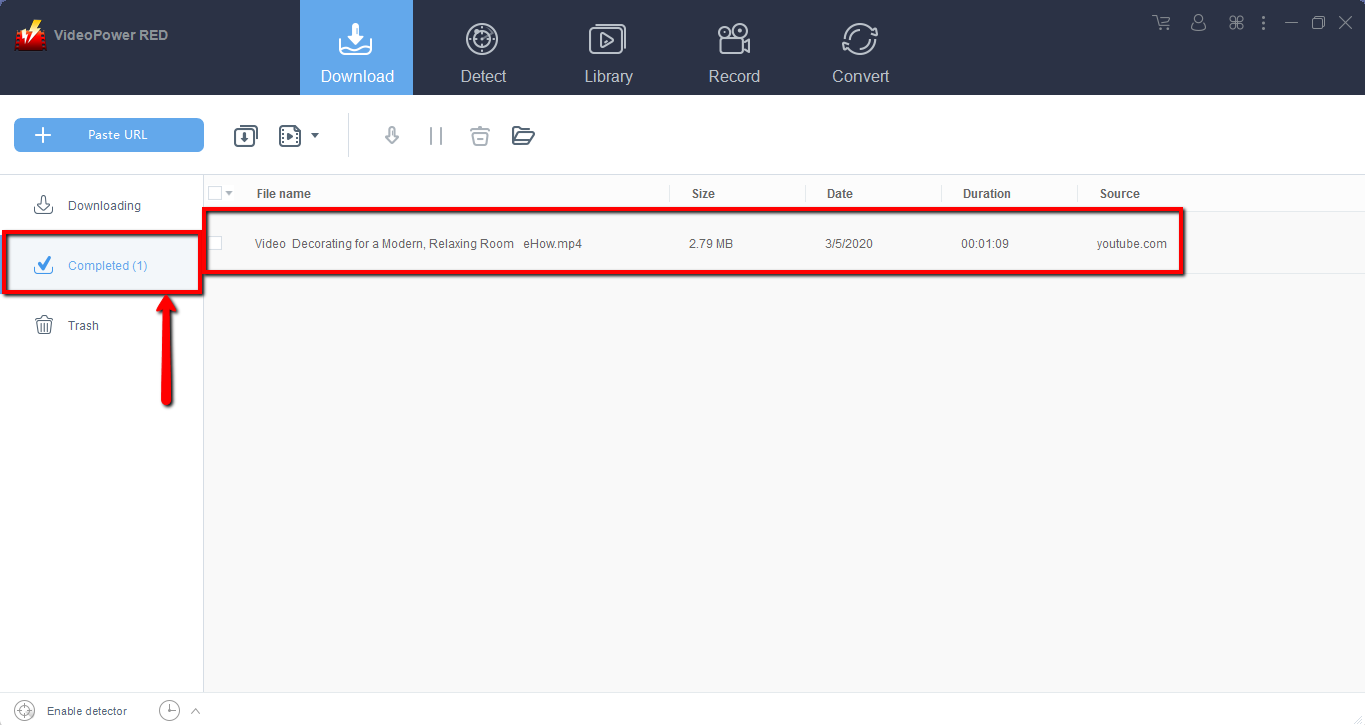
Wait for the download to finish, and then go to the “Completed” section to find the downloaded video. Right-click to do more operations and double-click to preview.
Method 3: Use External Detector
Step 1: Activate “Enable Advance Detector”
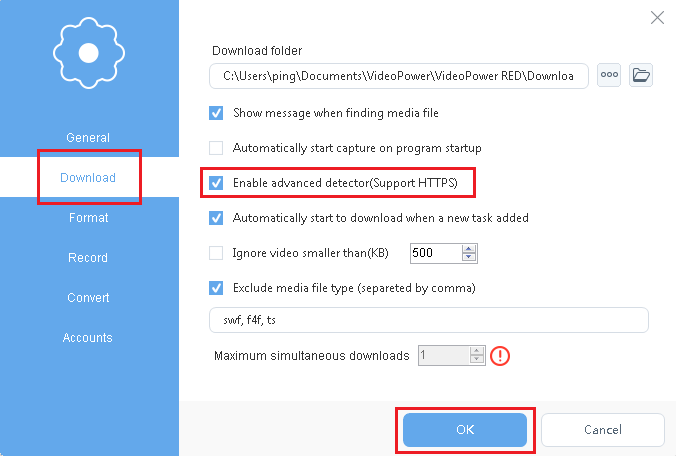
Detect videos being played in any sites through an external browser and download it automatically after activating the “Enable Advanced Detector” on the download settings window.
Step 2: Enable Detector
Enable the detector located on the lower-left corner of the product interface to activate the detector and to start downloading.

Step 3: Check downloaded File
Wait for the download to finish, and then go to the “Completed” section to find the downloaded video. Right-click to do more operations and double-click to preview.
Conclusion:
As years pass by, many and many application software that was constantly developed to make people do errands simply and smoothly. One of those applications is IDM, the Internet Downloader Software that allows users to download their desired multimedia files from the Windows to be saved locally in a faster way compared to other downloaders and can resume download after download complications.
But then, when there’s a thing that IDM cannot serve, a third-party tool that surely has what users are looking for can be acquired with the best IDM alternative, the VideoPower RED. This product is an amazing and hassle-free application software with various useful professional features like converting, recording, and detecting multimedia files.


