





Tips Index
The world’s first animated cartoon was considered to be created way back 1908 by a French caricature artist “Émile Cohl”. It was just a black and white short film but today cartoons are full of lively colors with very interesting stories.
Not to mention children are more likely to get attracted to the humanlike toys and familiar objects, animals, and for them, watching those videos is full of fun and excitement.
Many parents have always spent their quality time with their children by watching cartoons because good cartoon videos have always had a good influence on their kids.
And indeed, not only kids will often be amused by those energetic, interesting, and funny cartoons, but also adults, teenagers, and even elders are enjoying cartoon videos during their free time because cartoons are honestly fun to watch and can help people relax after a stressful day.
That is why cartoons on YouTube became famous these days. And as the most well-known video sharing site in the whole world, it is a great video portal to find interesting and funny shows, tutorials, anime, sports, news, music, cooking recipes, and cartoon videos.
Hundreds of thousands of videos are uploaded on YouTube each and every day and tons of cartoon videos can be found ready to watch here, which are uploaded to the official cartoons channel like Cartoon Network, Kids Channel, Jonni Valentayn, or just fans who share their videos.
To watch the latest uploads directly or timely, you can always subscribe to their channels or just search “cartoons videos” on YouTube. But, although YouTube has a number of cartoon videos ready to watch, you will always encounter problems with internet connectivity.
Not to mention tons of ads showing, sometimes connection might be poor, and as far as we all know, downloading cartoon videos on YouTube can’t be done automatically and will need a cartoon video downloader app to save it offline.
But by chance, you are here in the right place. To download cartoons, we recommend you to use VideoPower RED, a cartoon video downloader for YouTube that can grab videos automatically with faster downloading speed and high-quality results.
All you have to do is just click the link below to download this YouTube cartoon video downloader and follow through the guide on how to download cartoons from YouTube.
Method 1: Copy and Paste
Step 1: Copy and paste video URL
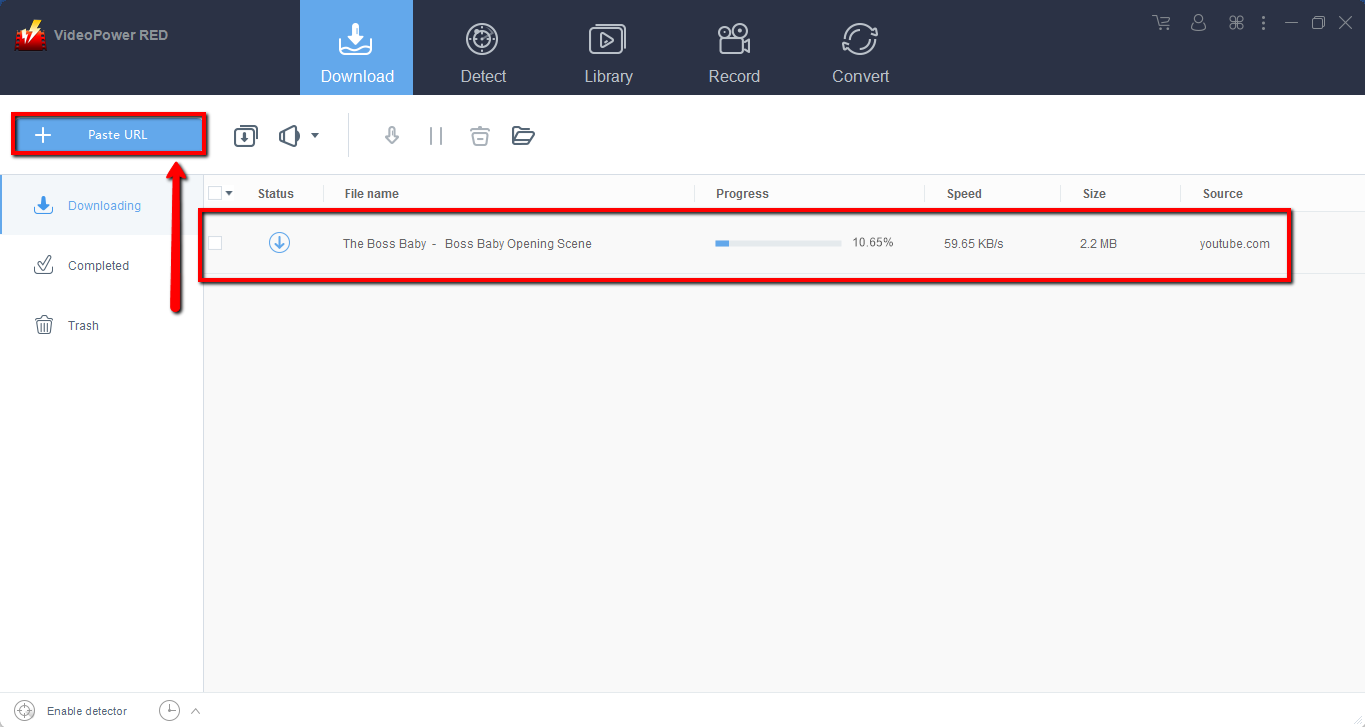
Go to the website and copy the URL of the selected video file that you want to download and then paste it on the product by clicking the “Paste URL” button. After this, the video will be processed in the “Downloading” control panel.
Step 2: Check the downloaded file
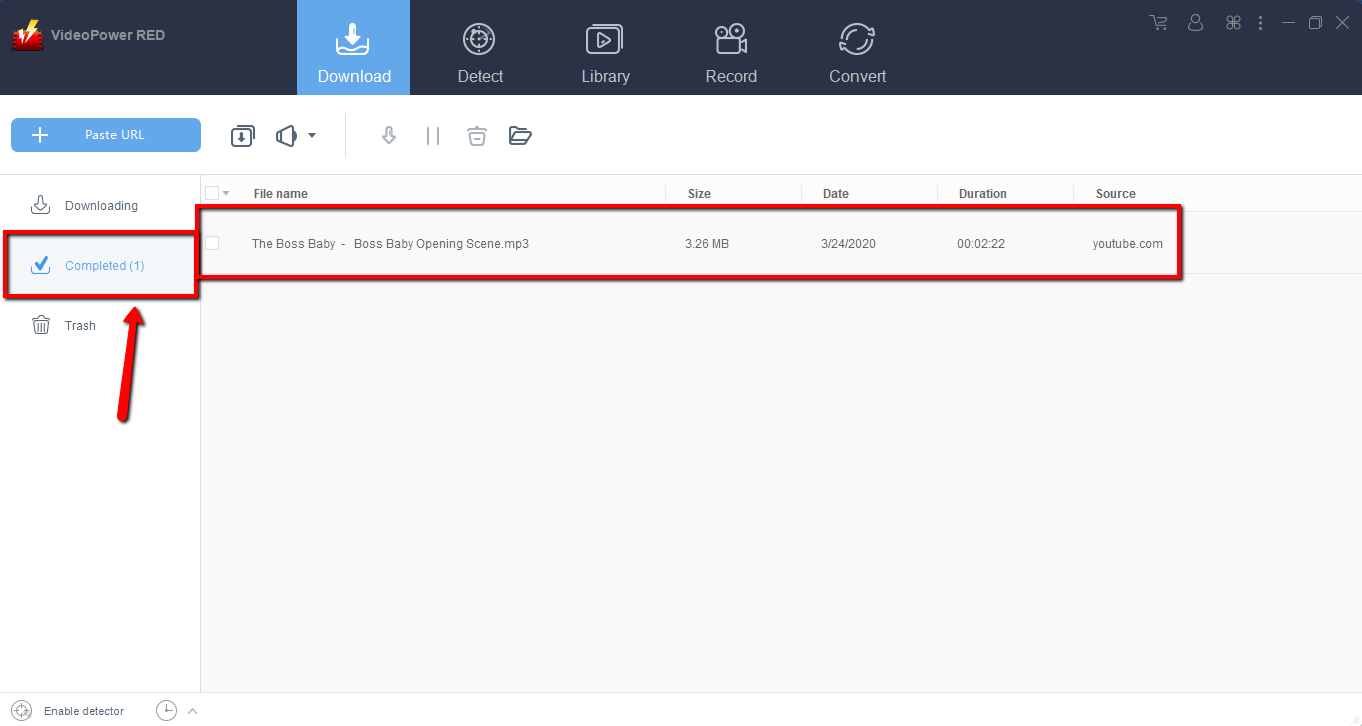
After the downloading process is complete, go to the “Downloaded” section to see and check the downloaded video.
Right-click the selected video to choose from the options on what to do next.
Method 2: Use the Embedded Browser
Open the video page via an embedded browser on “Detect”. Play the video you want to download and the program will automatically download the videos for you.
A pop-up prompt “Media File Detected” will show to let you know that all is well, the program detected and is downloading your video.

If you download from YouTube, a “download” button will appear below the video.
In order to download the video, click the download button.
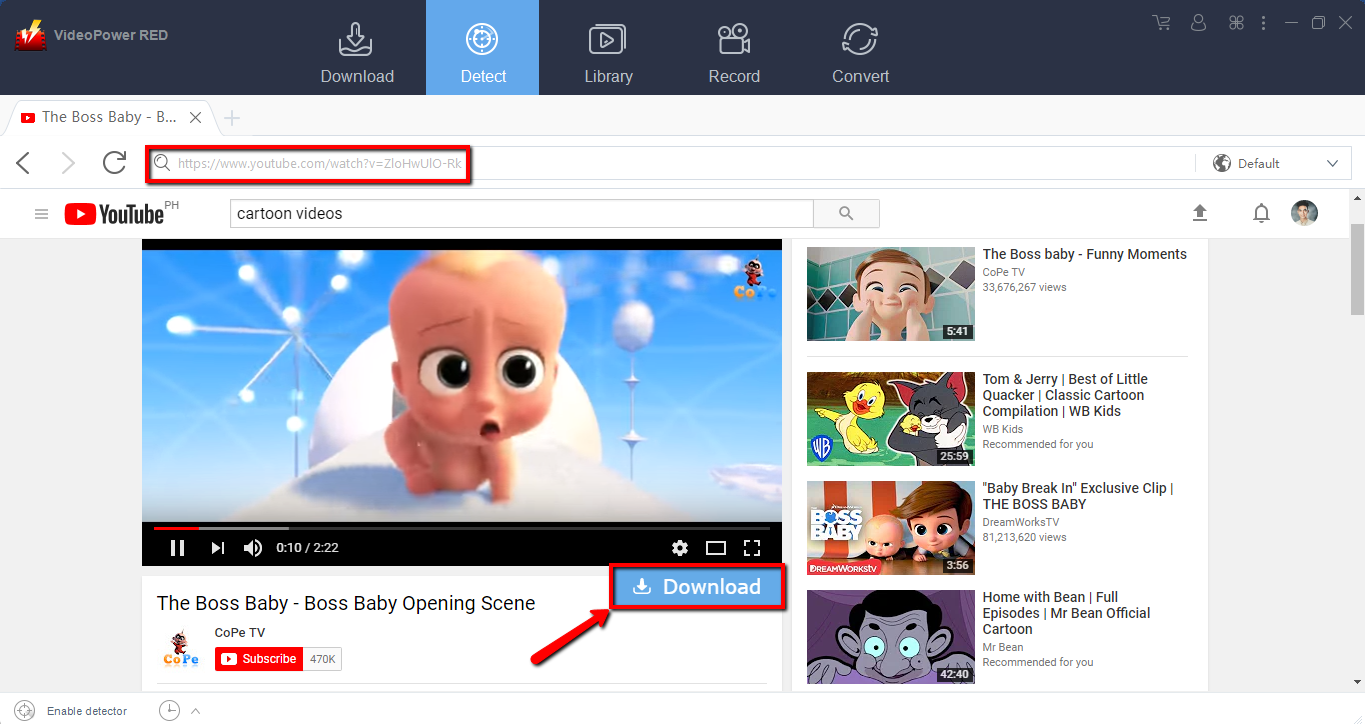
Wait for the download to finish, and then go to the “Completed” section to find the downloaded video.

Method 3: Record video
Sometimes because of the web update or slow internet connection, the program can’t download the video anymore but you can still save the video by using the recording function.
Step 1: Record video
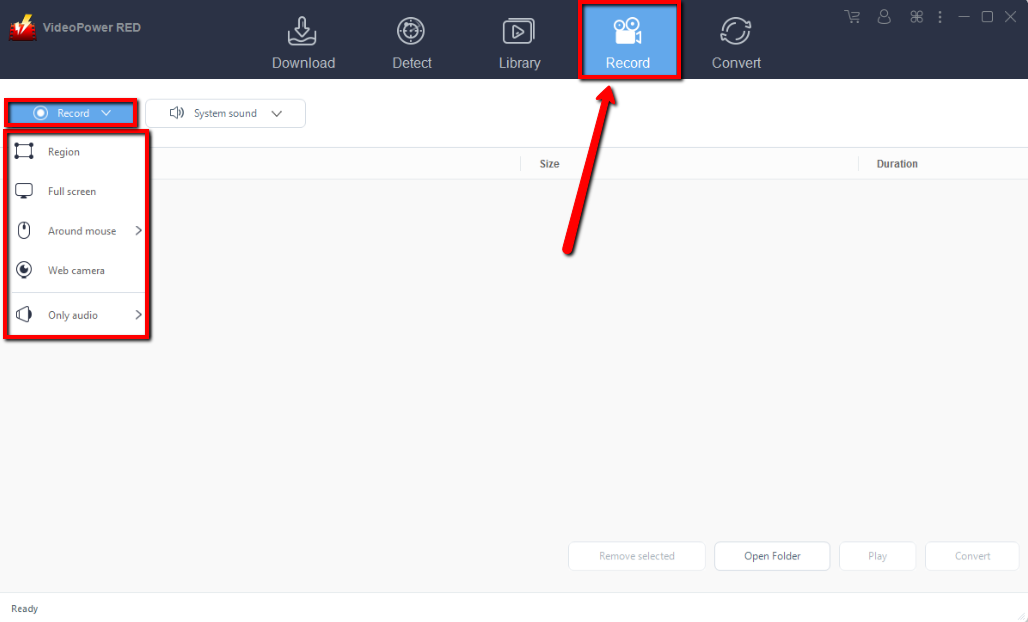
Click the “Record” tab to record the video and Select from “Region, Fullscreen, around mouse or Web camera” as preferred.
Step 2: Check the recorded video.
After recording, the recorded file can be seen in the record interface.

Conclusion:
VideoPower RED is a tool that is capable of downloading Cartoon from different kinds of video sharing sites. Not only that, but the tool also has a screen recorder and a video converter that supports a wide array of formats. Aside from short cartoon episodes, VideoPower RED can also be used to download movies and any kinds of videos from the internet. Download now.


