





Tips Index
Japanese culture has always been penetrable to every household almost worldwide, from manga to anime and up until food and fashion. One of the most notable icons would be its mangas and animes that were almost played every afternoon with target viewers such as kids and teenagers.
One or maybe the most famous manga series would be Dragonball with episodes skyrocketing to hundreds and even having as many chapters there could be because of its solid fan base support through the years. Created and produced in the late ’80s Dragonball has been and still hook people on every culture from Asia to even the Americas, it is more than familiar.
There are many best sites to download Dragonball Z episodes, and other seasons there is but some may have fees on it to be able to have the best quality which for some maybe a little a bit out of the pocket. There are some that could stream but wouldn’t it be extra delightful have it saved online. There are many ways to hack this issue and to solve questions like “where can I download Dragonball Z seasons” and other related stuff.
You need a trusty media software that could execute more than one way to download all your favorite videos online especially Dragonball. VideoPower RED is a powerful software that has multiple ways of doing this just in case one option may not be possible for some online downloads.
Method 1: Copy and Paste
Step 1: Copy and paste video URL
Go to the website where you watch Dragonball videos, then copy the URL of the selected video file that you want to download and then paste it on the product by clicking the “Paste URL” button.
After this, the video will be processed in the “Downloading” control panel.
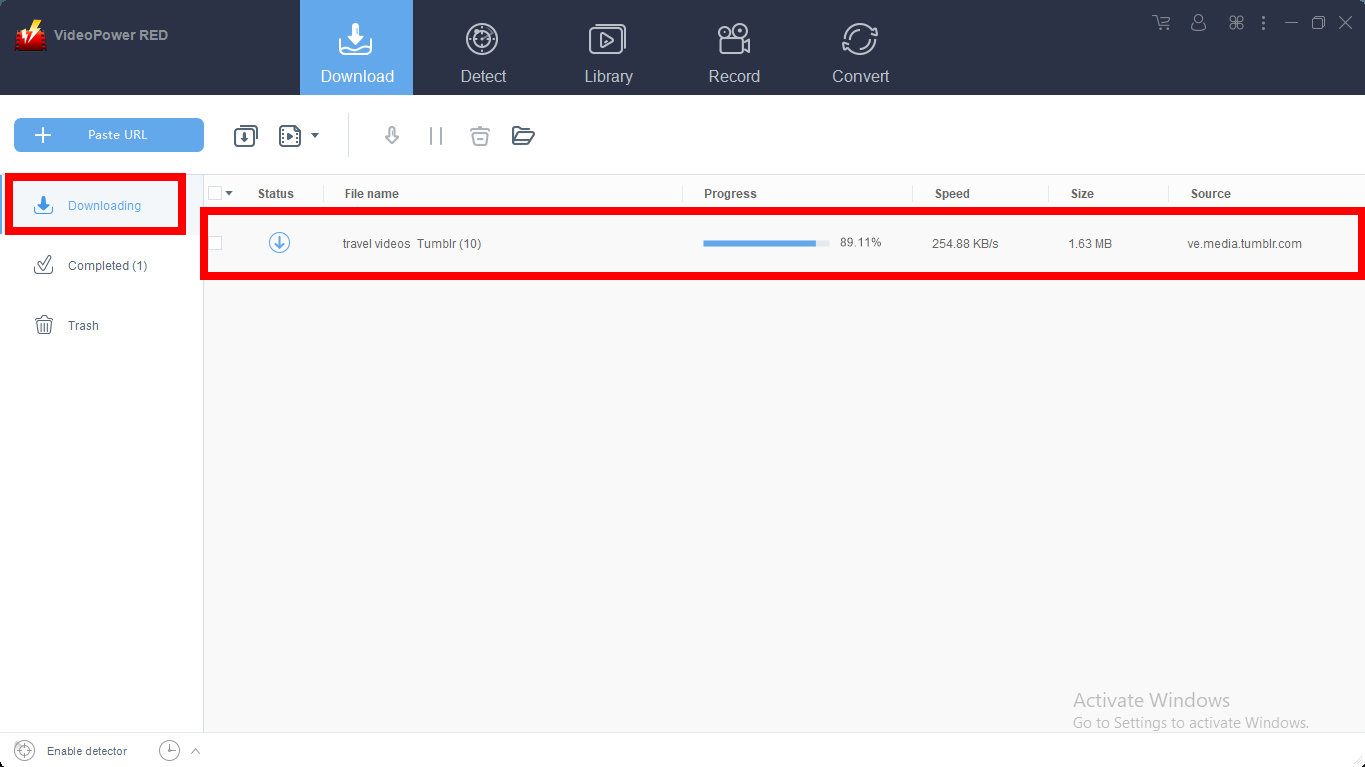
Step 2: Check the downloaded file
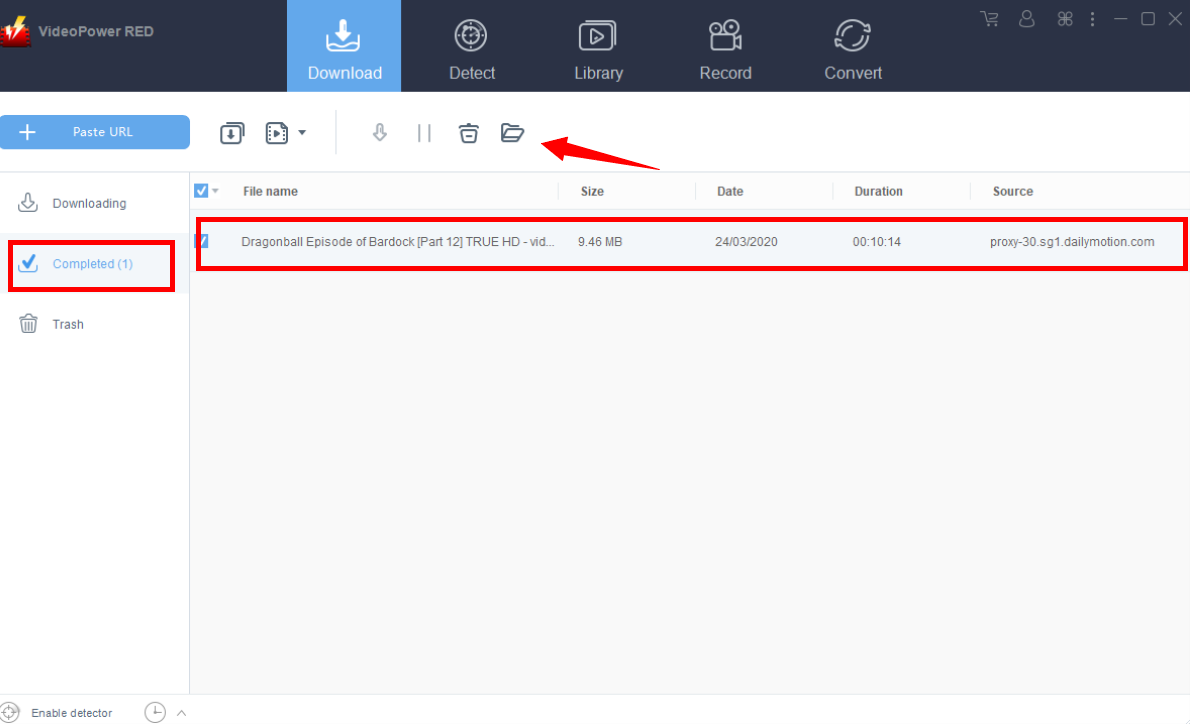
After the downloading process is complete, go to the “Downloaded” section to see and check the downloaded video.
Right-click the selected video to choose from the options on what to do next.
Method 2: Use the Embedded Browser
Download the desired video file using Auto-Detect on the “Detect” control panel.
The software can detect the video being played on the embedded browser and it will be downloaded automatically.
A “Media File Detected” notice will appear to notify that the chosen file has been detected and will be downloaded automatically.

But for YouTube, the video can be downloaded by clicking the download button below the video or copying the link, like in method 1.
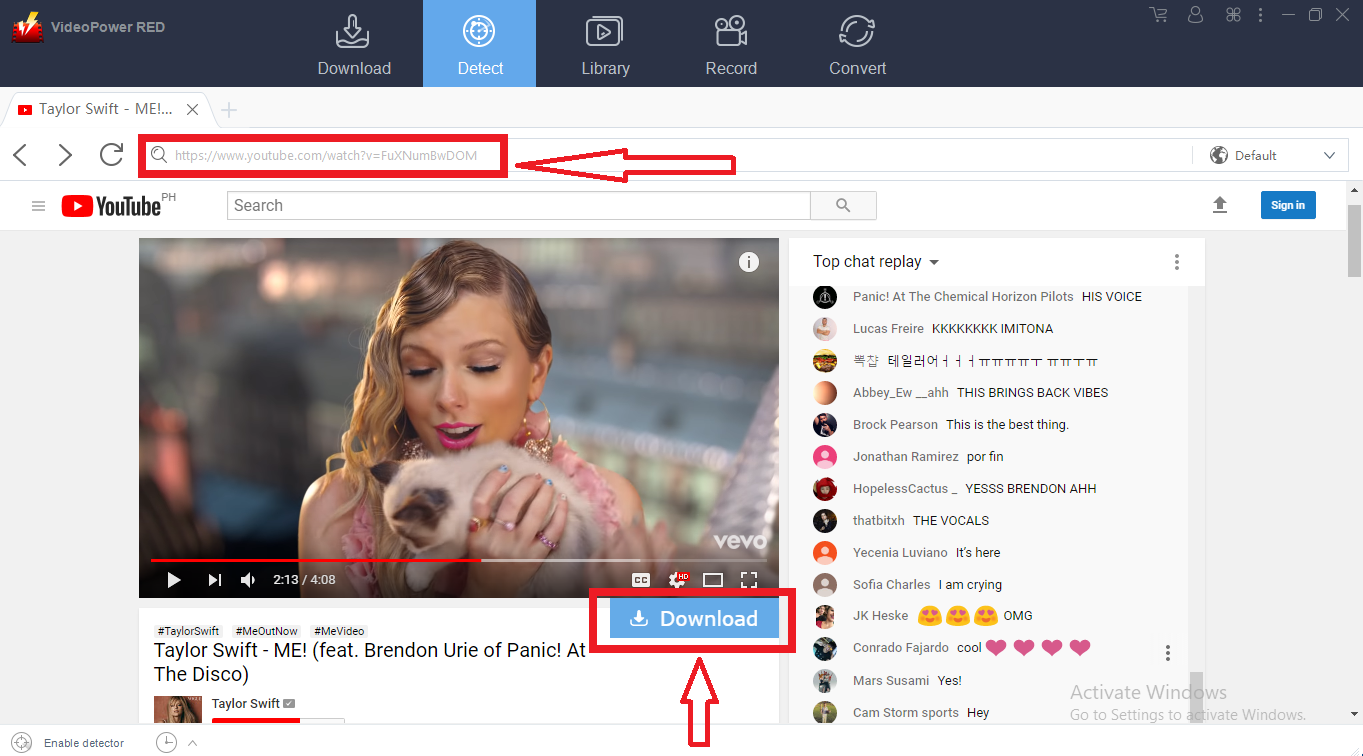
Wait for the download to finish, and then go to the “Completed” section to find the downloaded video.

Method 3: Record video
Sometimes because of the web update or slow internet connection, the program can’t download the video anymore but you can still save the video by using the recording function.
Step 1: Record video
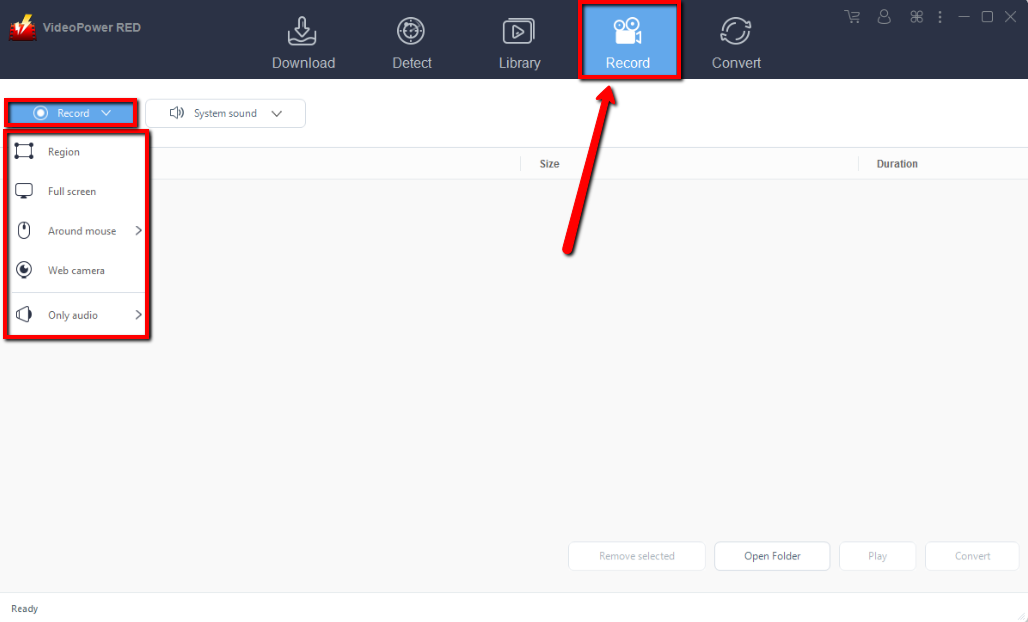
Click the “Record” tab to record the video and Select from “Region, Fullscreen, around mouse or Web camera” as preferred.
Step 2: Check the recorded video.
After recording, the recorded file can be seen in the record interface.

Conclusion:
VideoPower RED not just lets you download Dragonball Episodes but will let you access and save more manga series and animes in just a few couple of clicks!
More than your usual video download, this awesome software can convert many of your videos to different formats, will update you through many media trends today through the “Library” option, and can even edit your recorded clips. Try it now!


