





Tips Index
YouTube is a video sharing service where users can watch, like, share, comment and upload their own videos. The video service can be accessed on PCs, laptops, tablets and via mobile phones. Another great thing about YouTube is that users can make their playlists, with all the songs they liked that they listened to on YouTube. Playlists by other people that are set in public can be downloaded as well.
Instead of searching for every song title by a specific artist, you can download a whole playlist of songs by that artist to save time with VideoPower RED. This software offers direct download music from YouTube. Instead of searching songs, you can copy and paste the playlists URL from YouTube and convert it into MP3. Please note that VideoPower RED only grabs single tracks. It’s unable to grab song playlists from YouTube channels.
VideoPower RED can also come in handy in other circumstances. If you have a slow internet connection or offline, you’ll find that listening to music or streaming videos can be a pain.
We are now living in an era of iPhones, iPods or iPads and this is where VideoPower RED will come in handy.
Most people ask how they can transfer downloaded music to their iPhone, iPod or iPad.
Look no more because VideoPower RED is a tested software that can download from different websites such as YouTube, Vimeo and most of the Social media such as Facebook, and Instagram and more.
You can download hundreds or thousands of videos from YouTube with just a few clicks. This is one of the best features since we really love downloading music. You can download the playlist with ease.
Step 1: Download and Paste URL
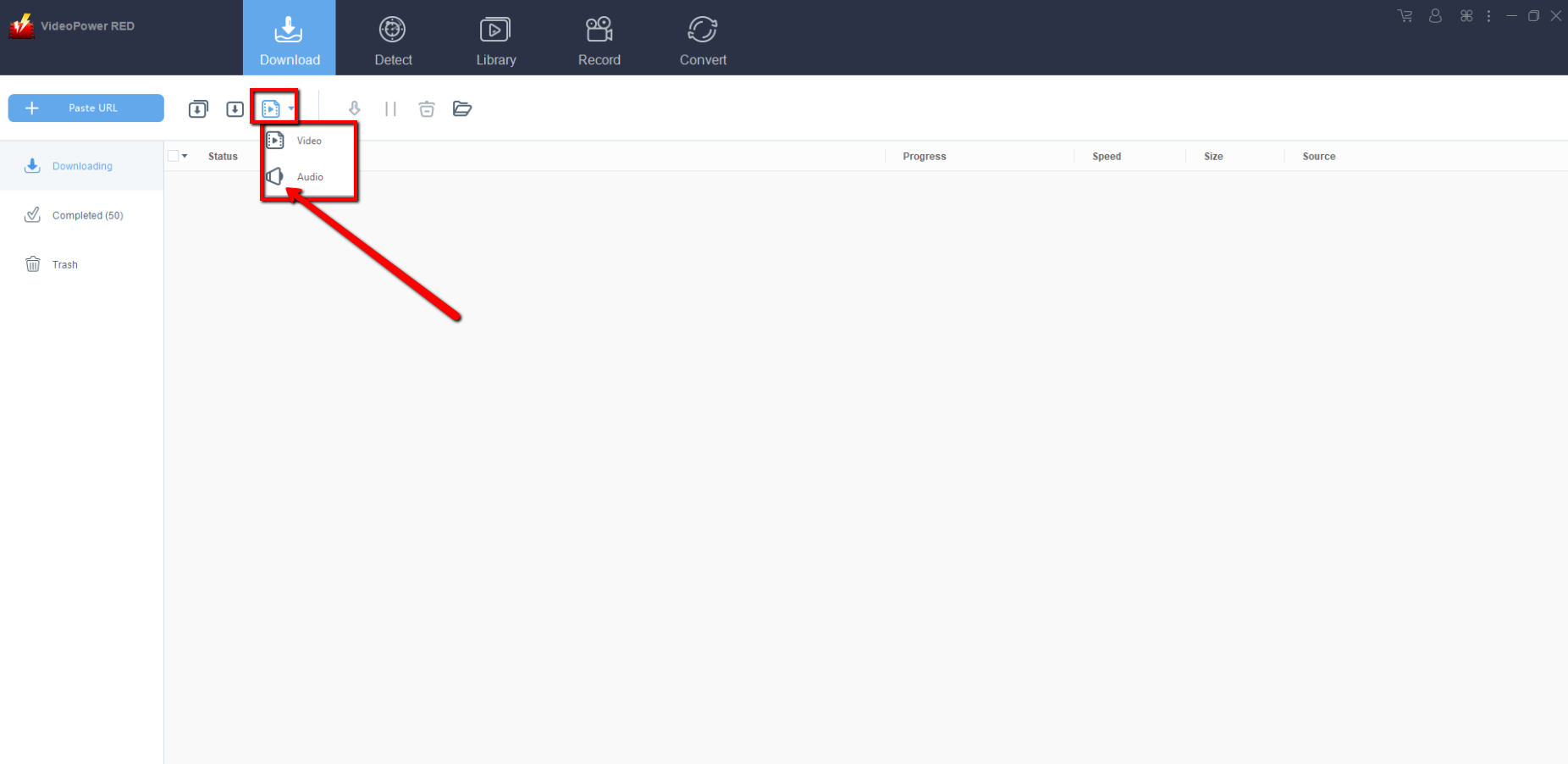
Note: You must click “Download type” and change it to “Audio” before proceeding to download steps.
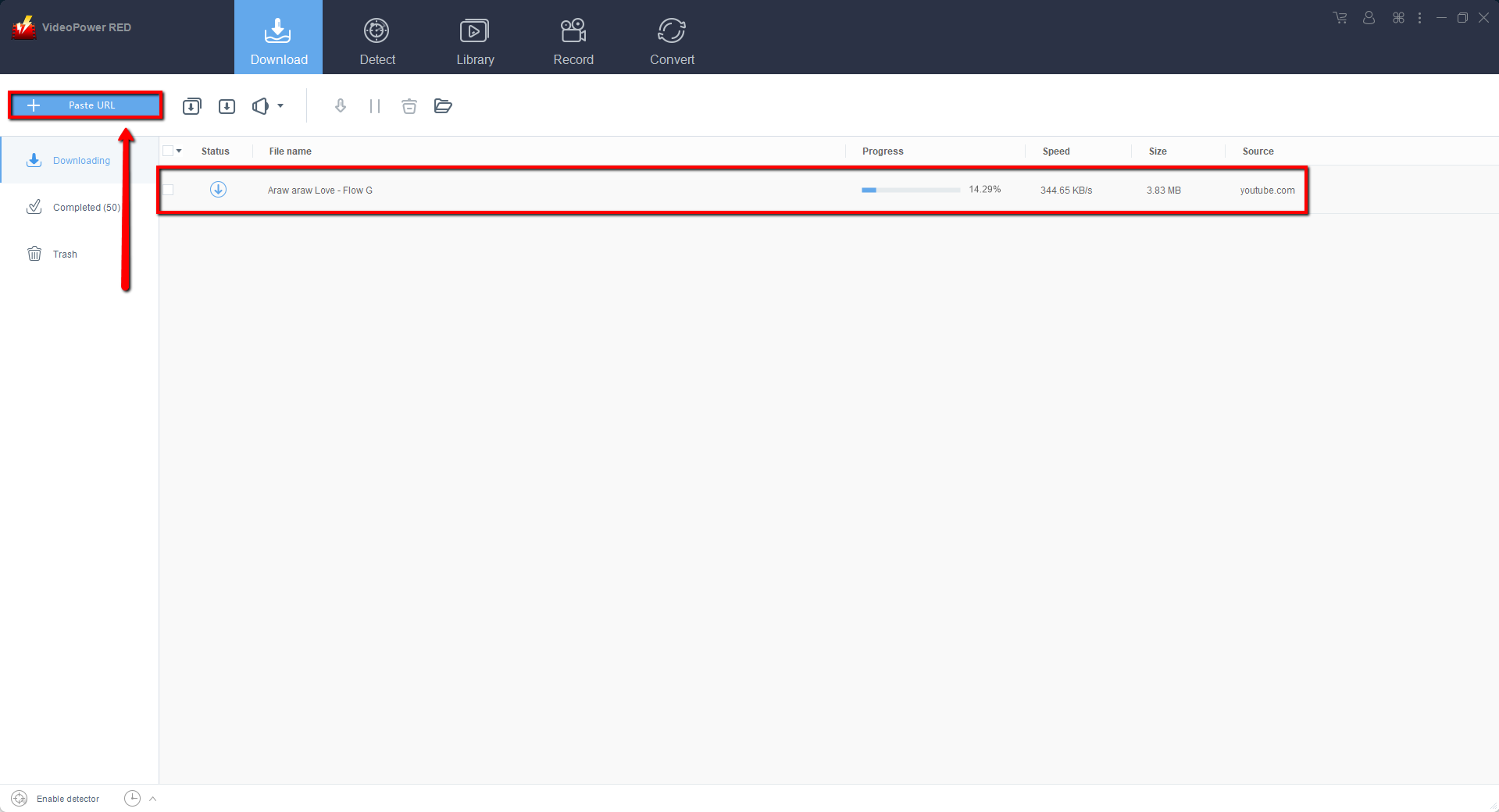
Copy the URL of the video from the address bar on your browser and click “Paste URL” in the main interface.
Step 2: Check Downloading and Downloaded file
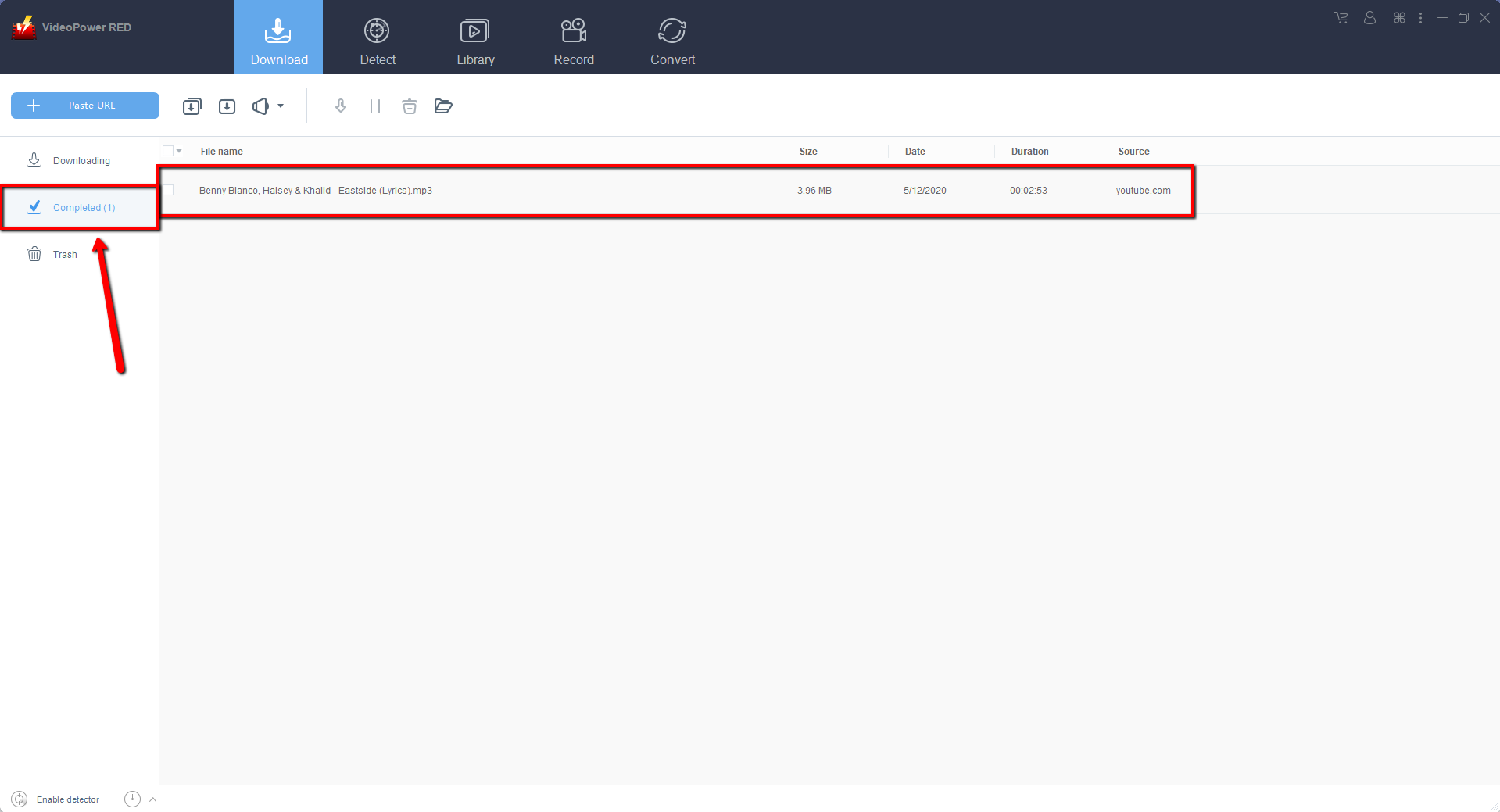
Wait for the download to finish, and then go to the “Completed” section to find the downloaded video.
Step 3: Add Music Playlist to iTunes
All iPhones, iPods or iPads have their own iTunes account, so you just need to add your convert music playlist to iTunes and you can enjoy listening to your newest music playlist.
1) Right Click the track and click “Add to” then click “Add to iTunes”.

2) A dialog box will appear and then click “Start”.
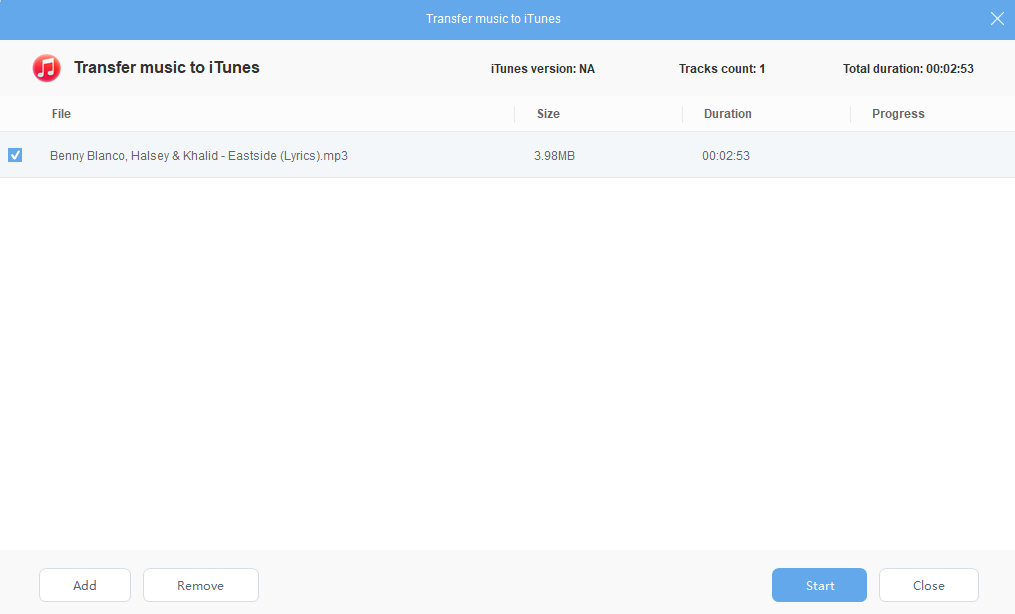
Make sure that your iTunes is updated to your iPhone, iPod, or iPad. You can now enjoy listening to your newest mMusic playlist.
Conclusion:
There’s a lot of great music on Youtube. With VideoPower RED Downloading Youtube playlist will make our life easier. You can download your favorite music with just simple steps and directly upload it to your iPhone, iPod or iPad through iTunes. All in all VideoPower RED comes in handy when it comes to downloading and converting. Yes, VideoPower RED also has converting feature so you don’t need another app to convert your downloads.


