





Tips Index

YouTube is the most popular video-sharing site where you can watch and share your desired videos and clips. You can also create and browse playlists.
A Youtube playlist is a collection of videos from YouTube. It can be private or public. Once a playlist is created, all the videos from this list can be played one after another eliminating the need for you to find one by one.
Thus, this makes the most convenient way to lessen your time finding videos with the same artist’s content.
Setting created playlist in public allows any users to access any and every video on the list.
Moreover, downloading these videos for offline purposes is possible with the use of third-party tools like VideoPower RED, an amazing, hassle-free and trusted downloader application software with various professional features.
Just click the link below to download and install this app.
Windows 7/8/8.1/10 supported.
One-Click to Download YouTube Playlist
Step 1: Settings
Click the above “Download” button to install VideoPower RED software.
It will automatically launch after the installation is complete.
Set download format before downloading. Go to the top-right menu and choose “Settings”.

Navigate to the “Format” tab, and set “MP4, MP3, Full HD quality (1080p)” as the download format. You can set other formats as your preference. Click the “OK” button to save the settings.

Step 2: Paste URL and download video.
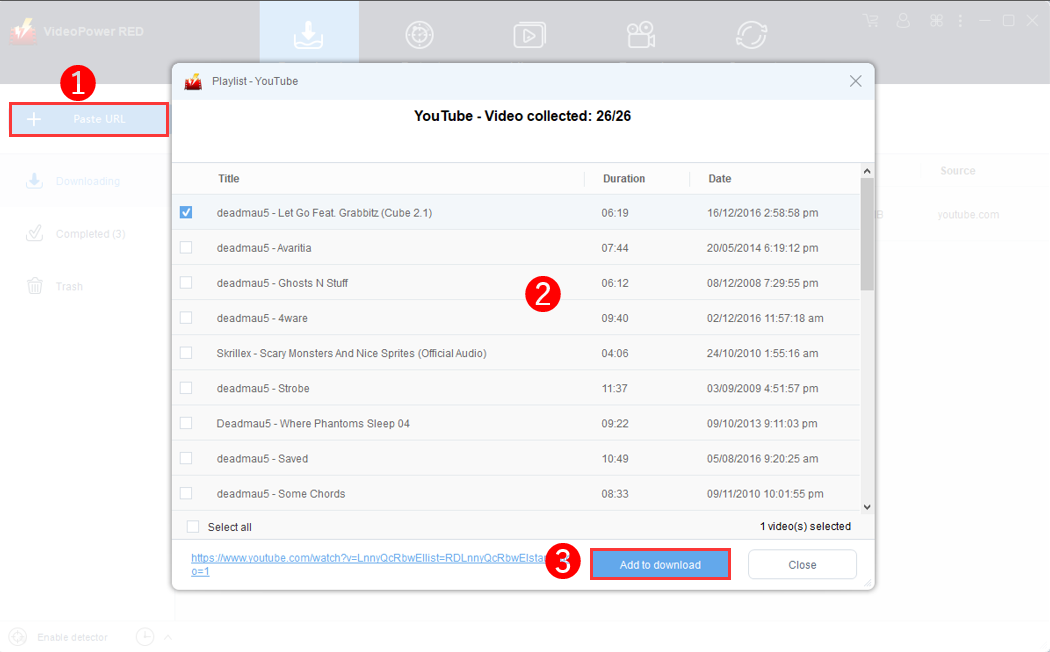
1) Copy the URL of the YouTube playlist that you want to download and then paste it into the program by clicking the “Paste URL” button.
2) After that, Choose the wanted videos or select all from the list on the popup window.
3) Click “Add to Download”, then the software will start downloading automatically.
Step 3: Check the downloaded video.
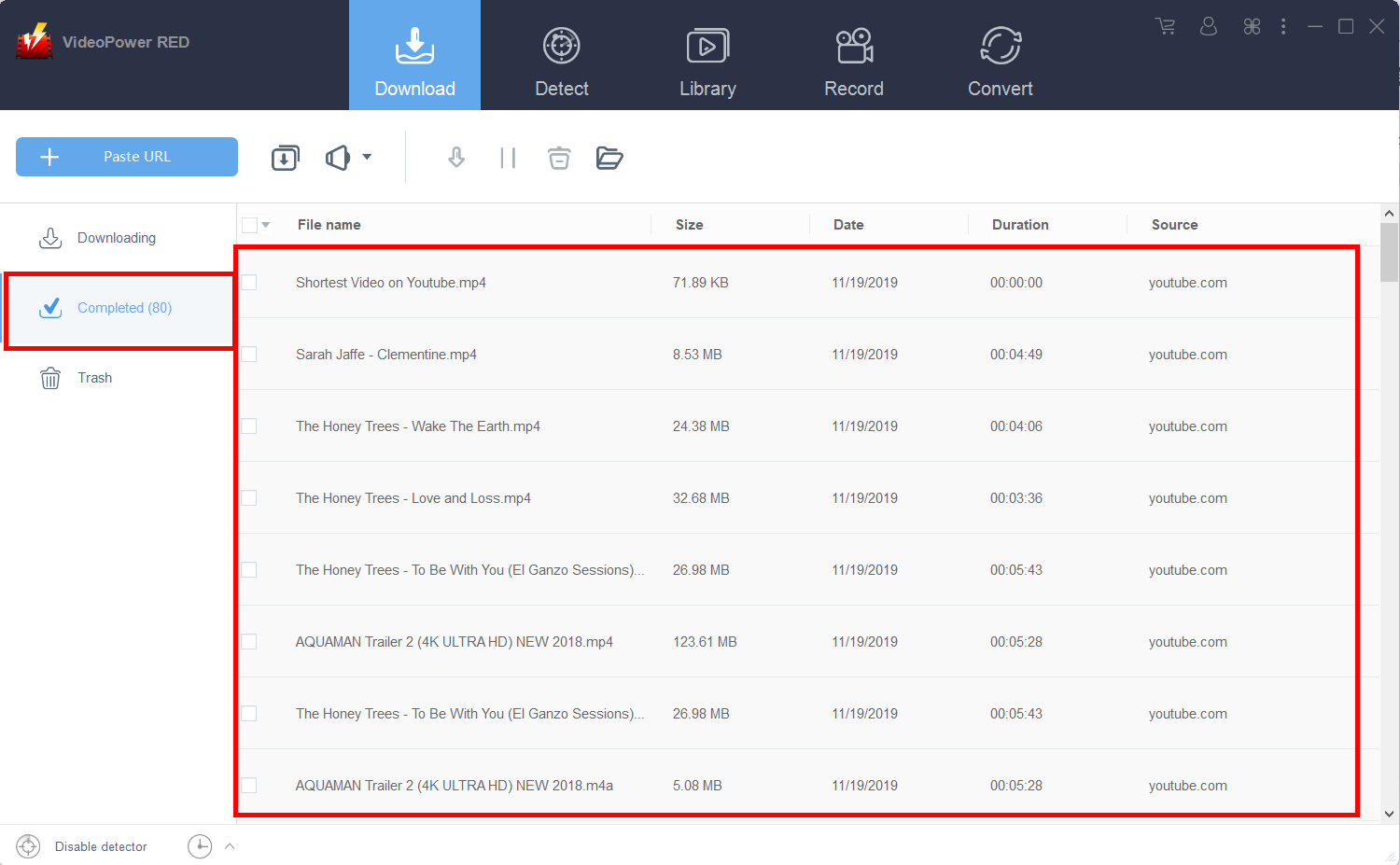
Wait for the download to finish, and then go to the “Completed” section to find the downloaded video.
Conclusion
VideoPower RED is a flexible desktop application which is probably the best tool in the market to date in downloading videos. Its features are not limited to downloads but it has a conversion tool as well. You can convert audio and video files to any format or device compatibility.


