





Tips Index
WebM is an audiovisual media file format designed for the web. WebM is an open-source, based on the HTML5 standard video file format. Opera, Chrome, Firefox support the video playback of WebM files but Safari and Internet Explorer 9 requires a plug-in or third-party assistance for playback of WebM videos.
However, MP4 is widely used to package video and audio streams, subtitles, and metadata. It is more common since it supports a wider range of media players.
If you can’t play the WebM file with your browser or media player, you need to convert it to MP4 format, so that you can enjoy your movies without hassle.
VideoPower BLUE is software that can do a lot of things such as record screen activity, capture videos, screenshots, basic video editing, and format conversion. This software can also help you convert WebM to MP4 with ease.
Download the software for free to use its trial version below
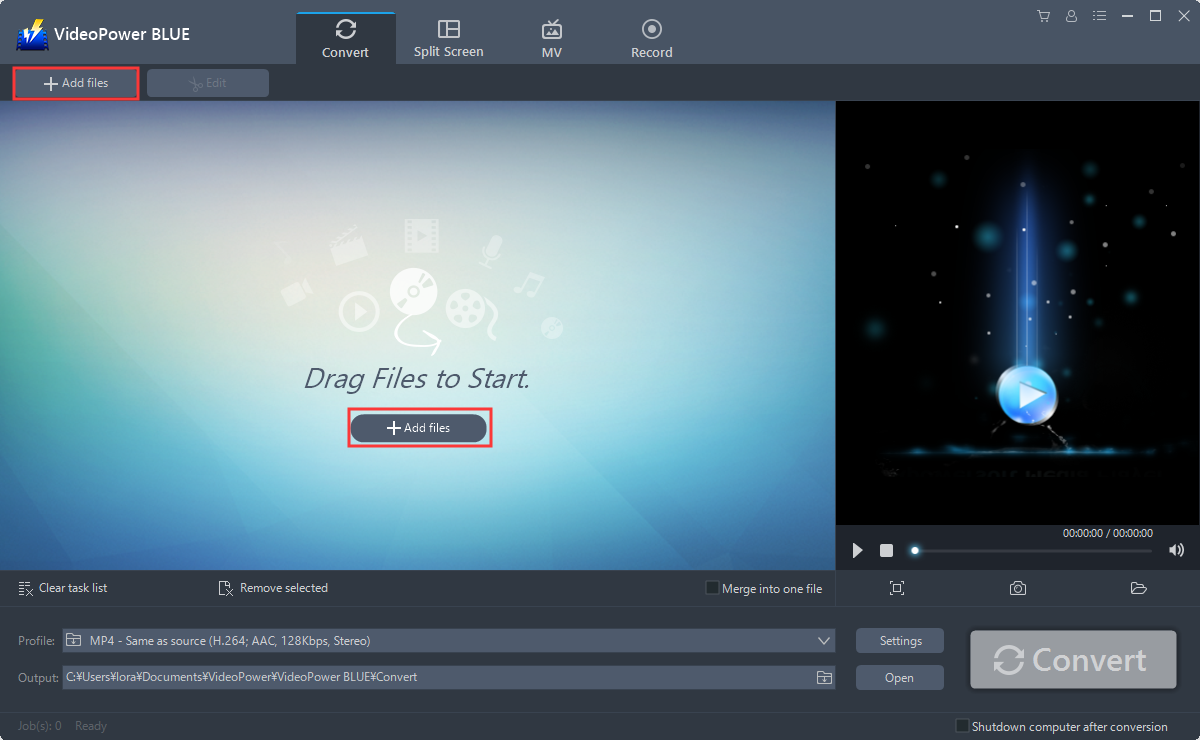
Step 1: Add the WebM file to the program
Run the program if you have installed the Video Converter software successfully on your PC. You can directly import the file to the program by clicking the “Add files” button or by drag-and-drop to the interface.
Step 2: Edit WebM file before conversion
If you need to edit the video file before conversion, just click the “Edit” button on top or on the right side of the file.
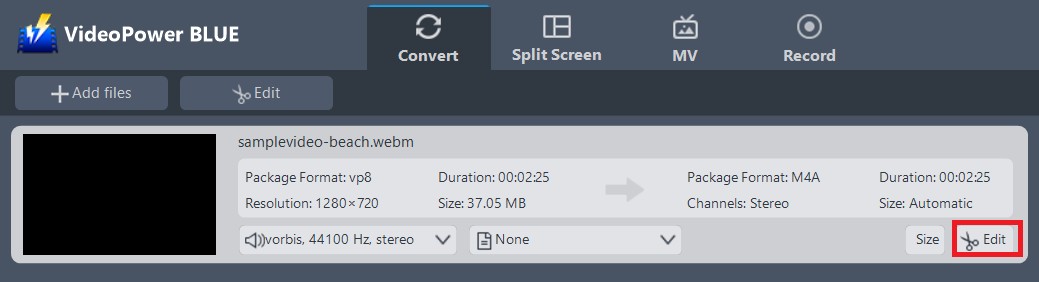
The built-in video editor will pop up, with its help, you can make the perfect movie. Adjust speed and volume, trim, cut, crop, rotate or flip videos. Add effects, subtitles, and watermark while adjusting brightness, contrast, and saturation that will make editing conveniently easier.
For example, you can trim your video as shown below:
Click “Add Trim Marker”.
1) Drag the mark as shown below to select the part you want to cut.
2) If you want to select multi-sections, please repeat 1 and 2.
3) Choose “Keep the selected section” or “Delete the selected section” from “Preferences”.
4) Click “OK” to save the setting.

Step 3: Convert WebM to MP4 format
3.1 Set the output format
1) Click to open the “Profile” drop-down menu, then choose the format you want from the profile list.
2) Here you can click “Video” and then “MP4”.
3) You may now choose the quality you prefer.

3.2 Start Conversion
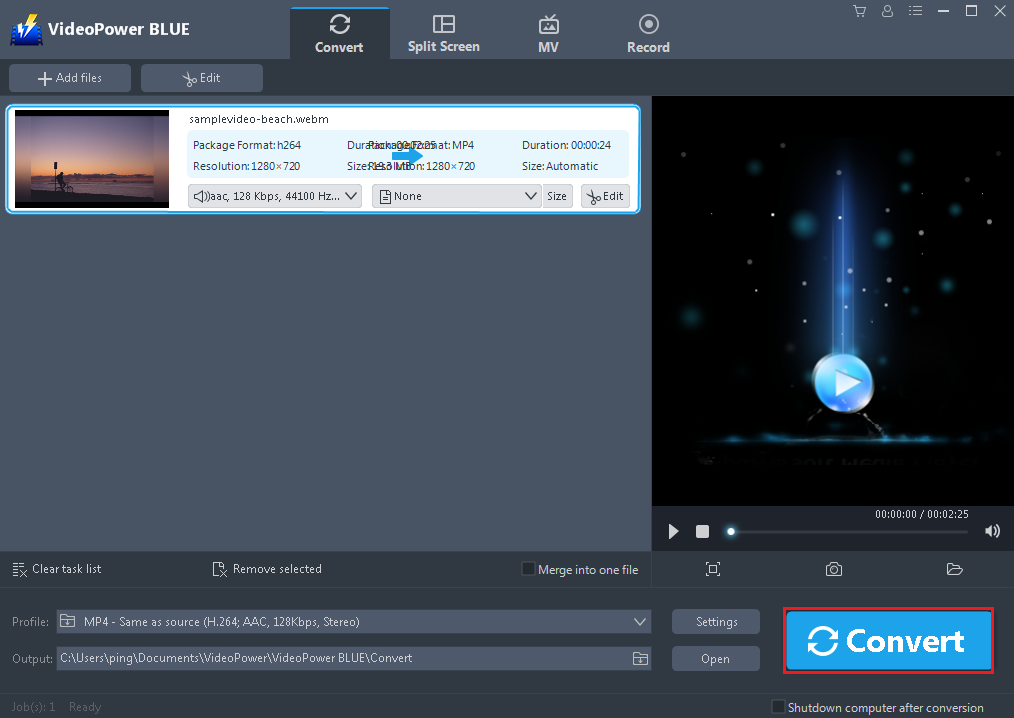
Return to the file list.
Click the “Convert” button, then the converted MP4 file will be saved in the default output folder.
3.3 Find the Converted MP4 files
A pop-up window from the program will appear informing you that the conversion is complete. Click “OK” to open the folder of your saved converted MP4 files.

Conclusion:
A powerful converter that you can use anytime, VideoPower BLUE more importantly, this software is a multi-faceted software that is a simple, easy-to-use and straightforward interface. These functions are built-in video editor that will enable you to edit slideshows or videos, apply watermarks, effects, and other basic video editing options such as trimming or cropping. Moreover, it has a split-screen tool for your photos and videos and a screen recorder which allows you to capture any on-screen activity on your computer.


