





Tips Index
With VideoPower BLUE, you can trim (cut) music files such as MP3, WMA, and M4A and save the part you want to keep. This tool completely intuitive so you will not encounter any problems while editing your music. In any case, it is super simple and is completely not require any special editing skills. The coolest thing about the VideoPower BLUE is that while you shorten songs, they do not lessen in quality.
It is totally free to use. The steps below will guide you on how to cut and save music files in 3 simple steps. This video/audio conversion and editing software can be downloaded by clicking the below link.
You can try to use the software for free by downloading its trial version below.
Step 1: Add the music file you want to cut
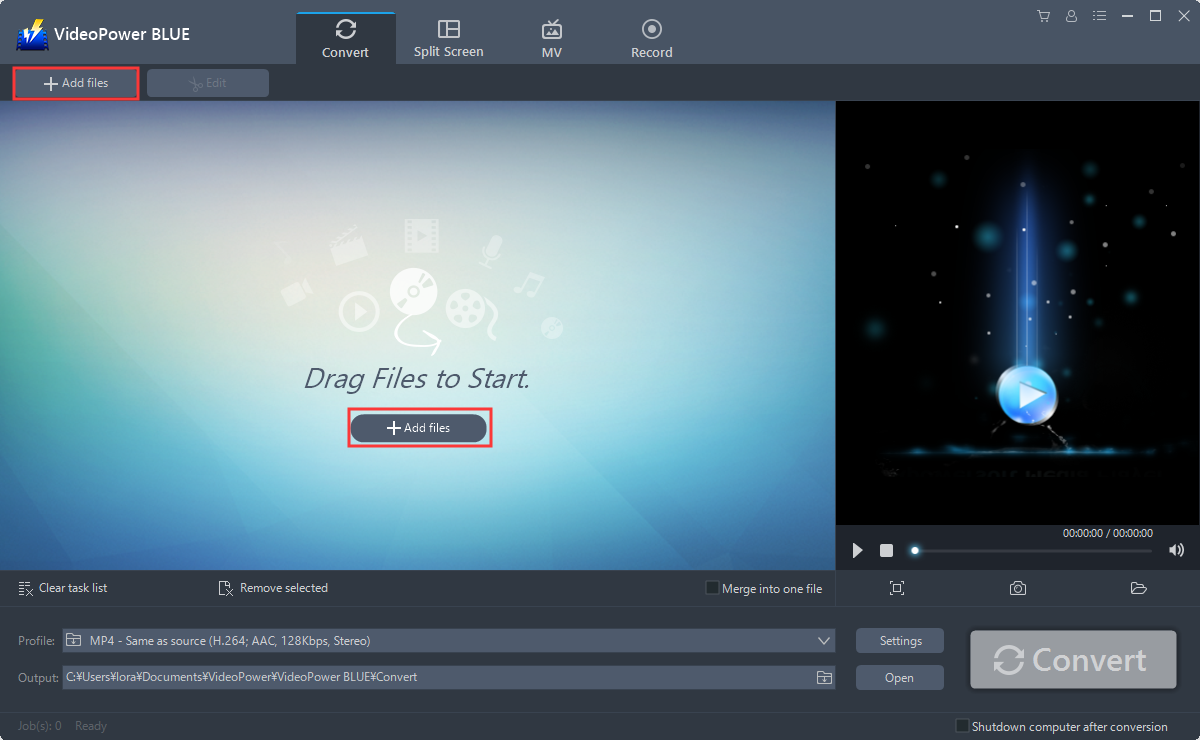
Run the program if you have installed the VideoPower BLUE successfully on your PC. You can directly import the Video to the program by clicking the “Add files” button or by drag-and-drop the file to the interface.
Step 2: Edit audio
The imported file is displayed in the list.
Click the “Edit” button on the right side of the file.

You can do the following steps to cut your audio:
1) Click “Add Trim Marker” to add a trim marker to the progress bar, you can also add multiple trim markers by clicking the same button multiple times.
2) Drag the slider to select the part you want to hold.
3) You can click the up or down button to set the start and end time as well.
4) Now you can choose to keep or delete the selected section.

After finish editing, click the “OK” button to save the changes.
Step 3: Save the edited music file
The software will return to the main interface after you save the editing. Click the big blue “Convert” button at the bottom right of the screen, then the software will start to convert and save the edited music file to the default output folder.

When the conversion is finished, the destination folder will open automatically.
You can also open the folder by clicking the “Open” button.

Note: The edited music will be saved as a new file, and the original file still exists without anything changed.
Conclusion:
VideoPower YELLOW delivers ultra-versatility in music, whether you want Youtube Music download, Amazon Music download or even Spotify, yes this software can extract the best audio from different websites or function as an independent player and downloader in one, and the best thing is that the tracks are free! It even has a built-in radio for that laid back afternoon chill. Other than the Video to MP3 conversion feature, it has a search engine ready to download your favorite music. It can also record any audio from your screen just in case if you’re unable to download your target song. Try it now!


