





Tips Index
The aspect ratio is the ratio showing width that is divided by height. Presenting the right proportional relationship of a video’s dimensional size.
When the videos are transferred to other players or video-sharing websites, they are unable to match with the player seamlessly. Moreover, if the video can’t match with the video player’s size, the video may be distorted or stretched that the visual image would be blurred or not proportion. The best solution to this problem is you need to use an aspect ratio converter to change into the correct frame size.
Here we will give you a simple way to change the aspect ratio of the video. But this method is not for all videos, because sometimes due to the video itself. If you force to change the aspect ratio, it may cause the video picture to be deformed.
First, download the VideoPower BLUE software that can help you fix the video aspect ratio. Besides, this software has many other features like screen recorder, video and audio editor, format converter, and so on.
This software is very easy to use and it is 100% reliable, what you do upon editing is also what you will get after rendering the video file. Plus it supports any kind of file formats which bring comfort to every user.
You can try to use the software for free by downloading its trial version below.
Step 1: Add the video
Launch VideoPower BLUE and go to the “Add files” button to upload your video file to the program or drag-and-drop to the interface.
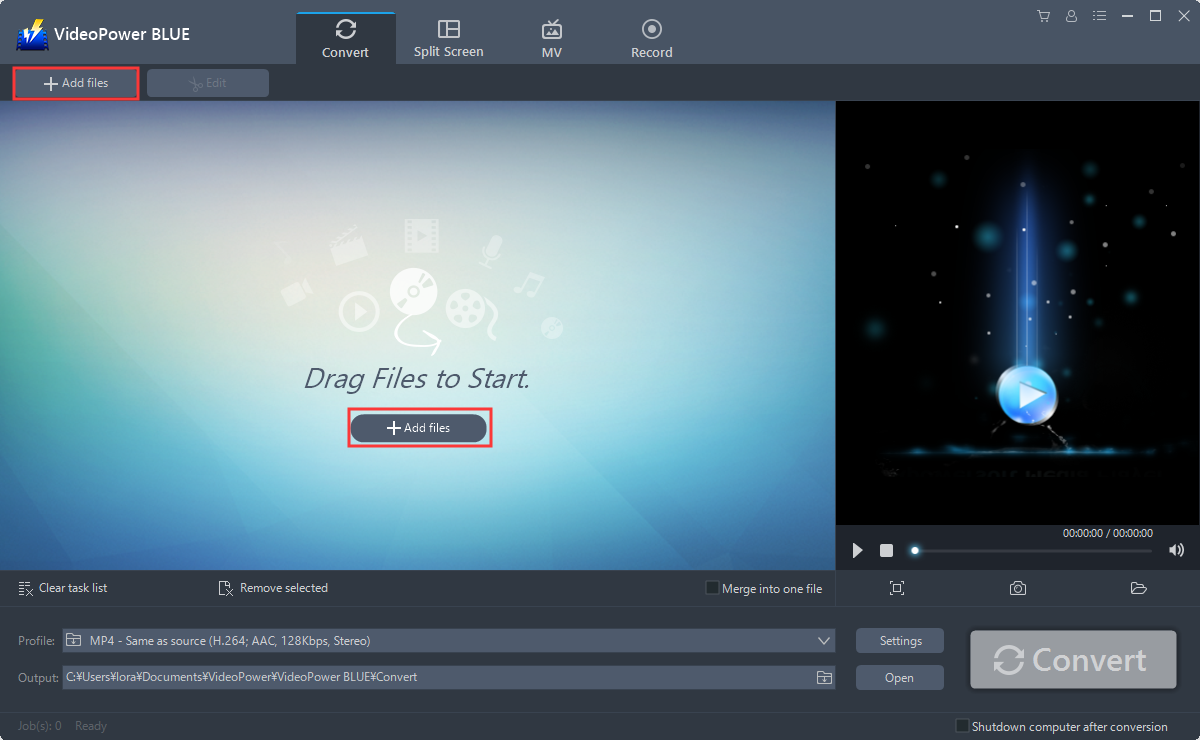
Step 2: Edit video
The imported file is displayed in the list. Click the “Edit” button at the right side of the added video to enter the built-in video editor.

You can do the following steps to change the aspect ratio of your video:
1) Click the “Adjust” function.
2) Click on the drop-down list behind the “Aspect ratio”
(so you can choose the aspect ratio mode according to your needs). When you select an aspect ratio, you can preview the effect in the left window.
3) Click “OK” to save the changes.

Step 3: Save the video
The software will return to the main interface after you save the editing. Click the big blue “Convert” button at the bottom right of the screen to save the edited video.

Note: The edited video will be saved as a new file, and the original file still exists without anything changed. The adjusted video will be shorter than the original one.
Conclusion:
The intention to convert the video’s aspect ratio to a new one is to watch videos on any players without considerate of quality loss. Also, it solves the storage memory problem if the storing device is not enough. With VideoPower BLUE you can select the most suitable aspect ratio based on your needs to transform the video to a smaller one with low resolution and new geometric proportion.
VideoPower BLUE is a powerful software that supports aspect ratio changing, conversion of any video formats with video editing function, enables adding subtitles, apply watermarks, make MV and split-screen videos. More importantly, it can record screen activity in many different ways, offline and online.


