





Tips Index
ID3 is a metadata container that is mostly used in MP3 format audio files. It can store relevant information such as title, singer, album and track numbers in MP3 files.
The ID3 tag is add-on information of songs in the MP3 music file. It can add the artist, author and other categories of music to the MP3 to facilitate the management of many songs.
It can be quite bothersome to manage or organize music files, especially in large quantities, without additional information or details that would help you identify the artist, name of the singer, album, etc.
It’s totally better to use a smart ID3 tagging tool to identify and tag your songs automatically. VideoPower YELLOW is capable of recognizing ID3 tags automatically is capable of recognizing ID3 tags automatically through the ID3 Tag Identifier to make organizing music files easier.
To install the program, you must first download the software by clicking the link below.
Step 1: Run the program.
After a successful installation, run the program. Click the menu icon on the upper-right and then click the “ID3 Tags Identifier.”
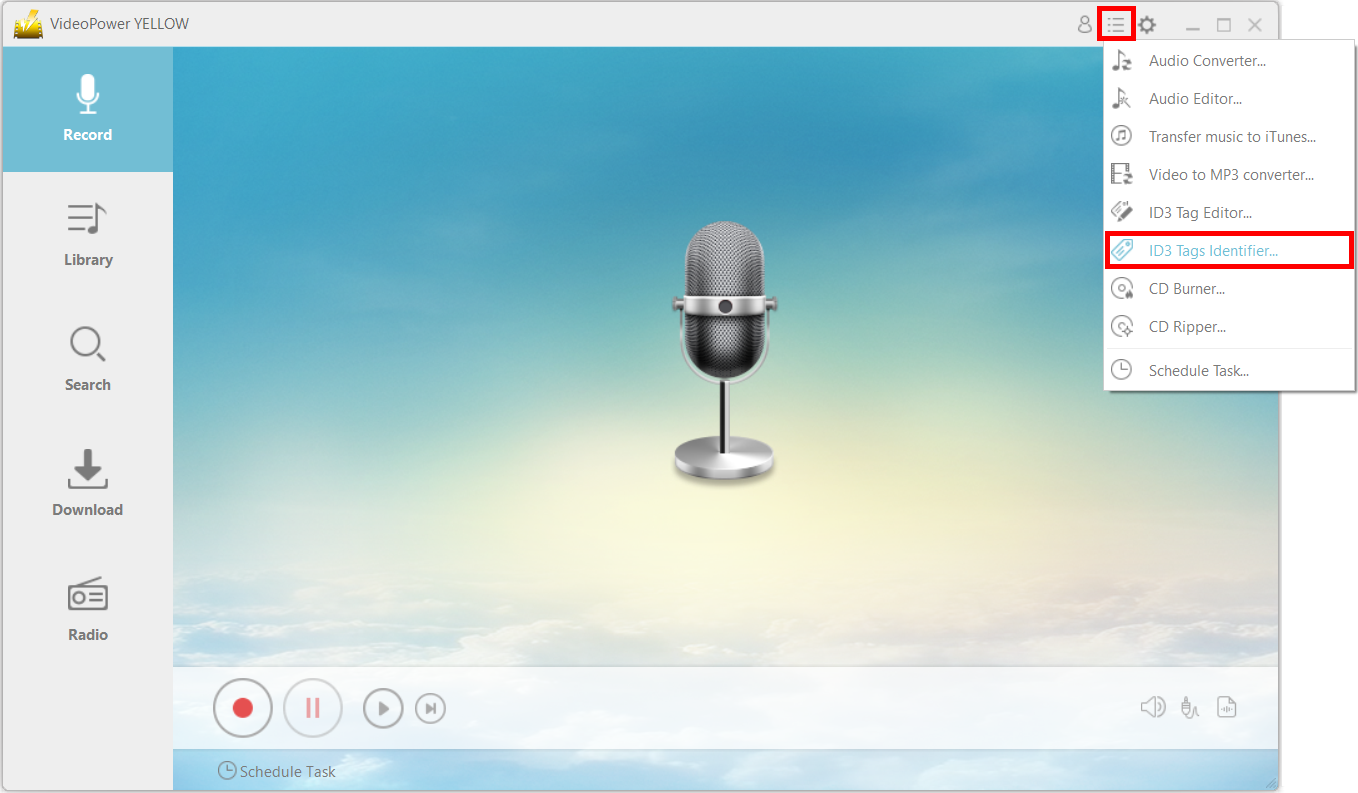
Step 2: Identify and add ID3 tag to your songs.
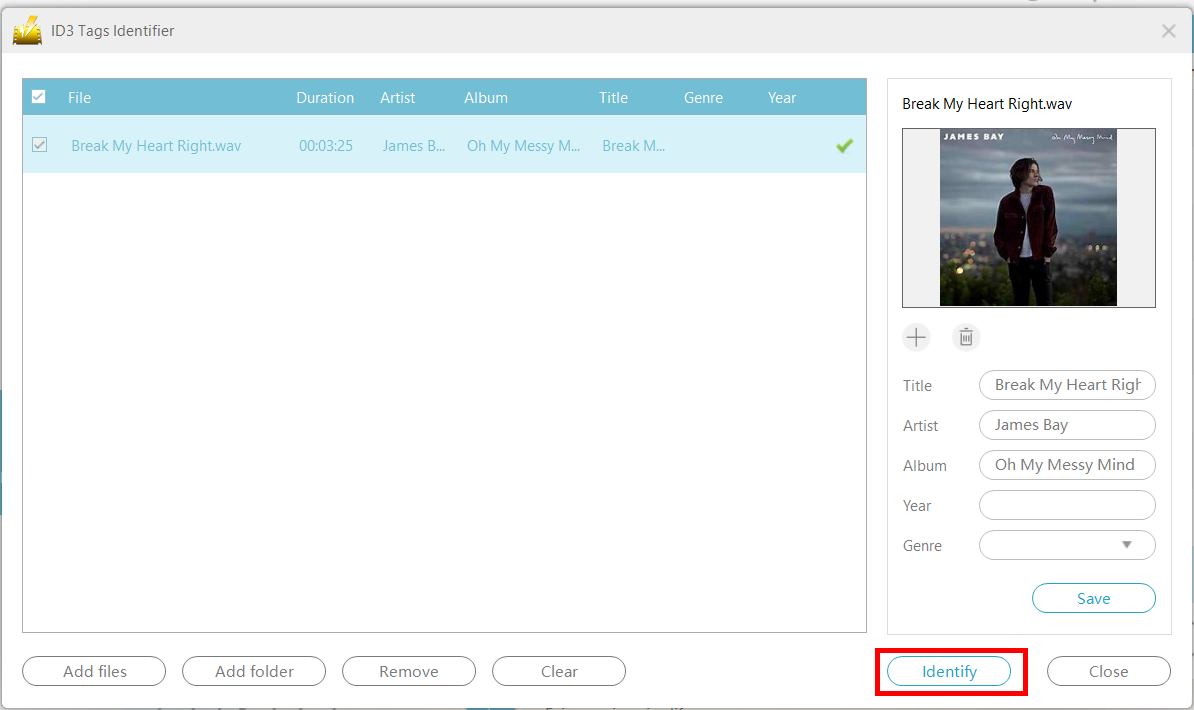
The “ID3 Tag Identifier” will open. Add files into it. You can add a bunch of files at a time or even add an entire folder. This program is able to tag multiple audio files at once.

Check the items and click the “Identify” button to tag those selected songs.
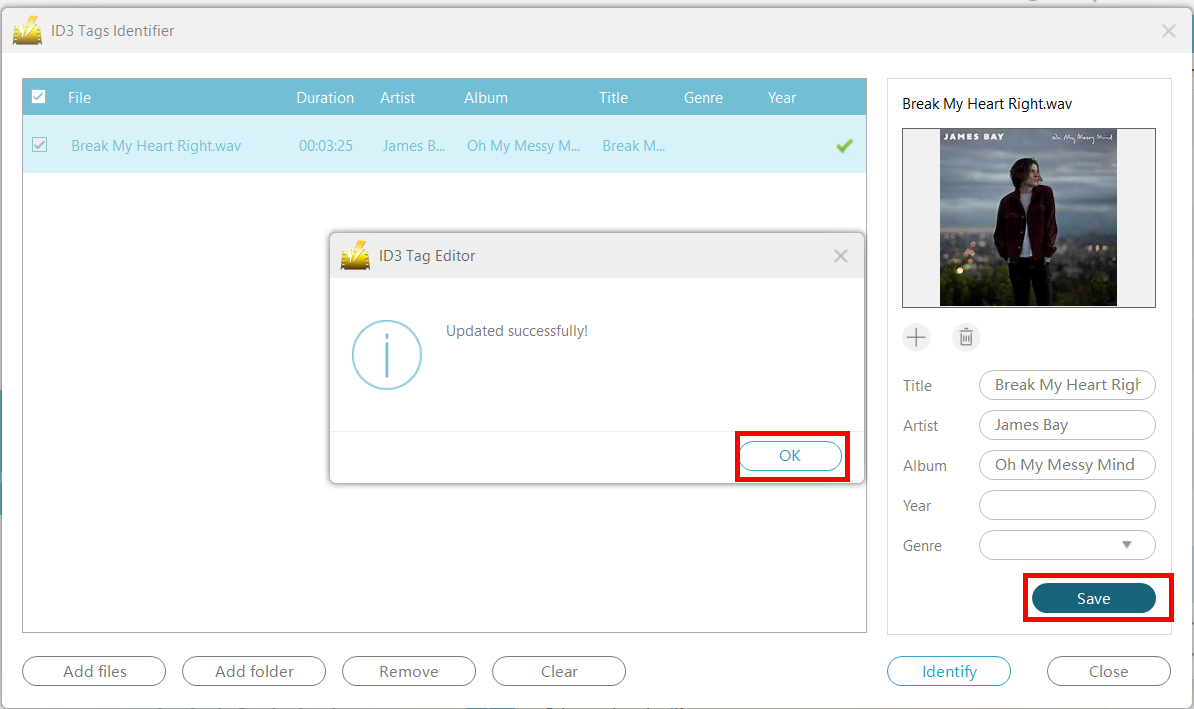
Click “Save” to save the identified music information.
Conclusion:
Now you can categorize your songs by artist, album or genre into different folders.
Managing or organizing your music files, especially in large quantities, does not have to be complicated and hassle. With VideoPower YELLOW, you can do this easily by using the ID3 Identifier.


