





Tips Index
Downloaded audio can sometimes be in a lossless format such as FLAC – lossless compression is compressing the file into a smaller size without quality loss.
If you are not particular in terms of sound quality, it is more convenient to convert FLAC file format to M4A or MP3 format for easy transmission and playback on various devices.
For conversion, you have to download a FLAC to M4A converter. VideoPower BLUE is a multi-faceted software that has a lot of functions. These functions include recording screen activity, basic video, and audio editing, and file conversions. Due to its wide array of formats to choose from, it is the best converter out there. This software can convert FLAC to M4A.
Step 1: Add the FLAC file to convert
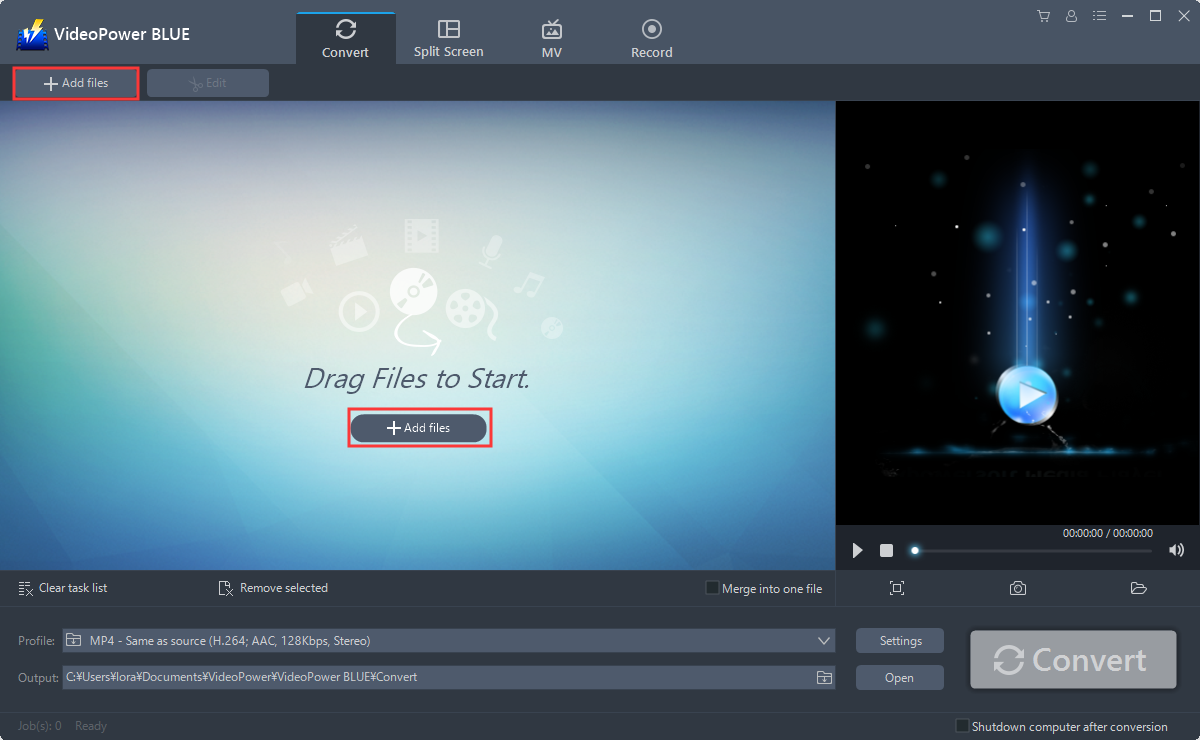
Click the “Add files” button and select FLAC file that you want to convert to M4A or directly drag-and-drop the selected files to the interface.
Step 2: Edit the FLAC file before conversion
If you want to edit the file first before converting, just click the “Edit” button at the right side of the added FLAC file to enter the Edit window so you can edit your FLAC now.

Step 3: Convert FLAC audio to M4A format
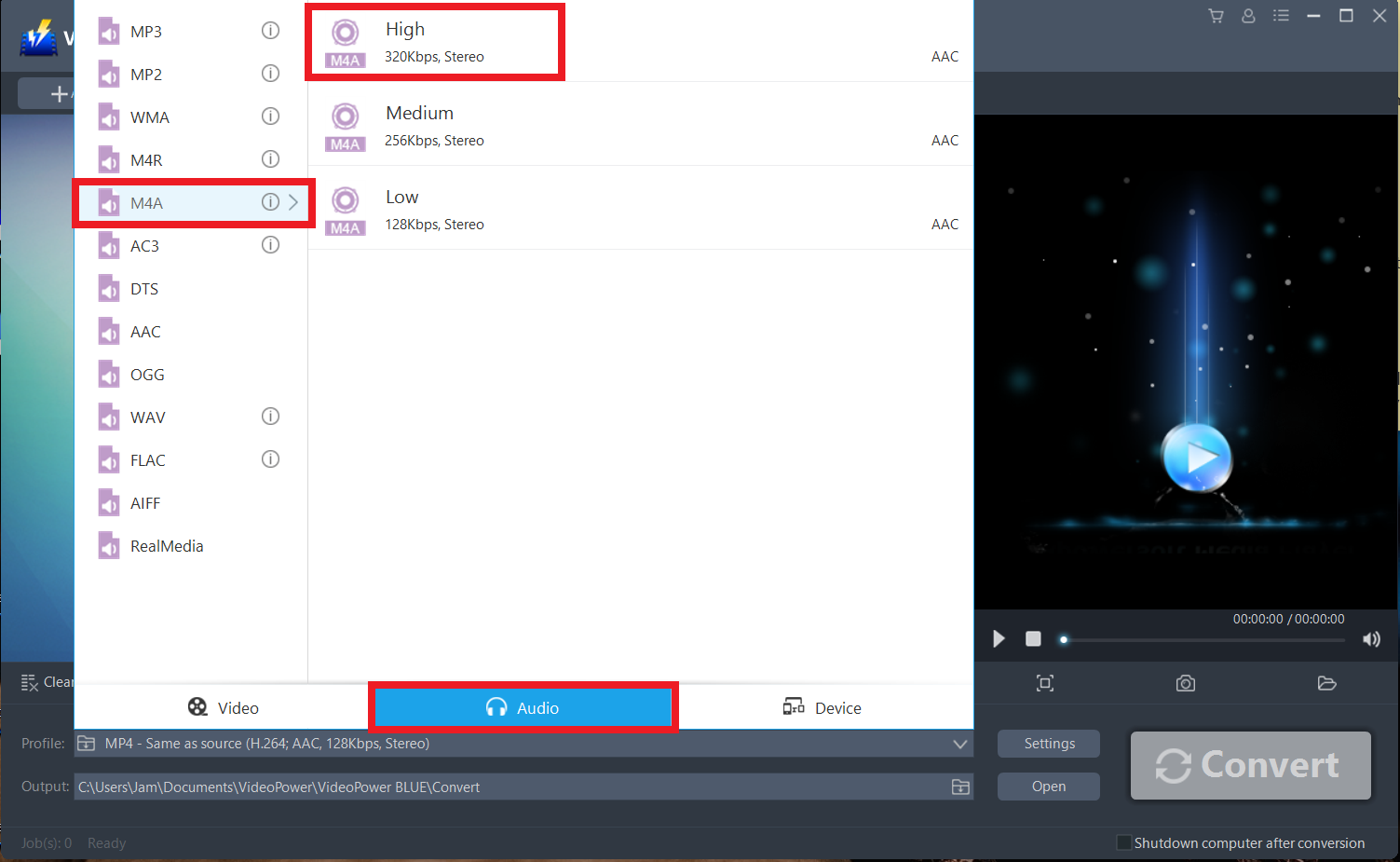
Before conversion, you should set the output format and folder first as the default output format is MP4.
1) Click the “Profile” bar
2) Choose “Audio”
3) Set the format to “M4A – High”
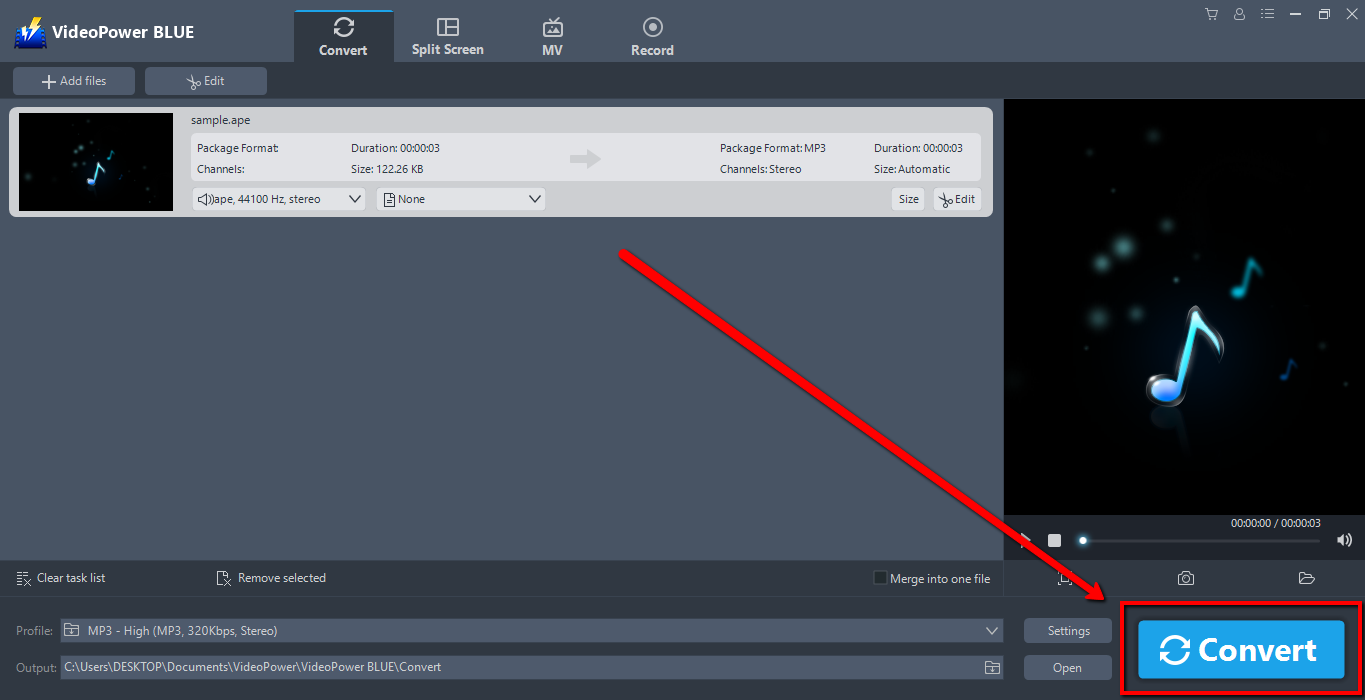
Click the “Convert” button, then the software will start to convert and save the edited audio in M4A format.
The program will pop up a window to inform you once the conversion is completed. Click “OK” to open the folder of your saved converted M4A files.

Conclusion:
VideoPower BLUE is definitely perfect for you. Its conversion tool is fast and flexible. This tool can be an audio editor. Make personalize ringtones by removing the unwanted parts in audio or compounding several different music files into one with this great software. Additionally, this program is also a great in extracting audio from music videos if you would like to set it as your ringtone.
Not only that, it has a split-screen tool for your photos and videos and a screen recorder which allows you to capture any on-screen activity on your computer.


